Clean wedding DJ audio starts with a tested mixer feed, correctly matched recording levels, and an independent backup. Your camera microphone adds useful atmosphere, but it shouldn’t be the only source for vows or toasts.
Reliable capture requires coordination before guests arrive, especially when ceremony, cocktail hour, and reception sound use separate systems. Start with a shared audio plan so each meaningful moment has a clear recording path.
Plan Wedding DJ Audio Before Arrival
Agree on the Recording Feed
Coordinate with the wedding DJ before setup day. Identify the available mixer output and its connector. Ask whether it carries microphone audio, how the signal is routed, and who controls its level.
An auxiliary output can provide a dedicated recording mix; a record output may follow a different signal path. A booth output might carry music without every microphone. The output’s name alone doesn’t tell you everything.
Typical DJ packages combine DJ and MC services, speakers, music, and planning support, with lighting options. A dedicated recording feed still deserves its own discussion.
Map the Day’s Audio Changes
List the wedding ceremony, cocktail hour, reception entrances, toasts, and formal dances. Each location needs a named recording source and a clear handoff between teams.
Our ceremony sound setup checklist connects microphone assignments, music cues, and recording needs before the processional.
Include musicians and readers in that plan. A microphone routed through a separate system won’t automatically reach the DJ’s recording output.
Connect the Mixer to Your Recorder Correctly
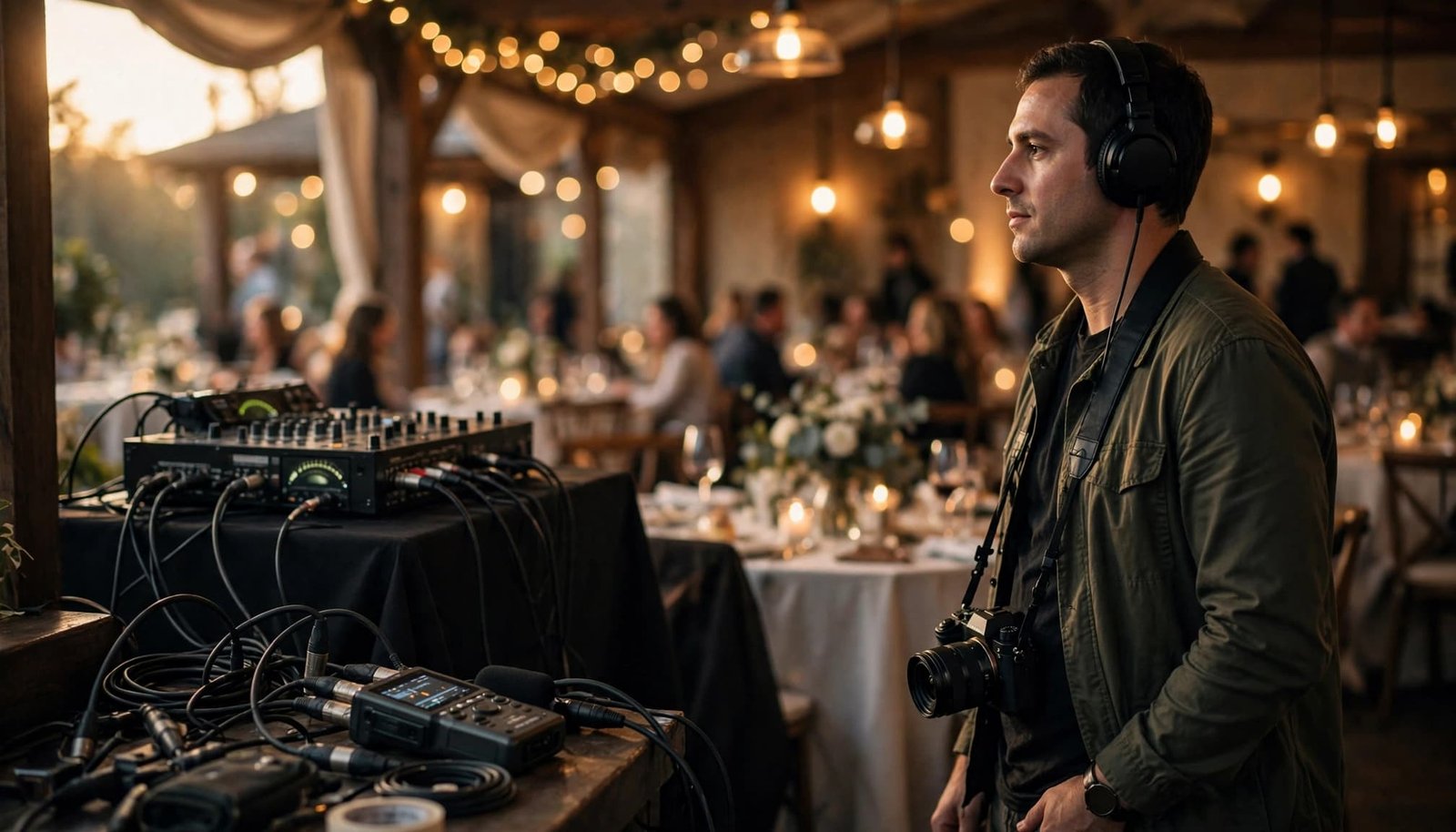
Match Line Level and Mic Level
Mixer outputs vary, so confirm which output is suitable and whether it carries a full program mix or a specific source. A line-level output is stronger than a microphone signal, and connecting it to a mic-only input can cause distortion before the meter shows a clear problem.
Connect line-level output to a suitable line input. If your recorder only has a mic input, use appropriate attenuation. Changing the connector doesn’t change the signal level. Cameras with selectable inputs also need the correct setting; Fujifilm’s external audio settings distinguish microphone and line-level sources.
Disable phantom power on recorder inputs receiving the DJ’s feed unless the connection requires it.
Use the Right Cable and Recording Settings
Carry balanced XLR and quarter-inch TRS cables, RCA adapters, and suitable attenuation for your equipment. Connector shape doesn’t establish signal compatibility; an XLR socket can accept different levels depending on the device.
Keep the mixer connection separate from the main speaker outputs. Never connect to an amplified speaker-level output.
For conventional recording, 48 kHz and 24-bit WAV are practical video-production settings. Set recorder gain conservatively, and leave headroom for excited speakers. Ordinary speech peaking around -12 dBFS leaves room for louder moments.
Test actual speech and music while monitoring through headphones. The meter can show activity without revealing distortion, hum, crackling, or the wrong source.
Build Ceremony Capture Around Clear Voices
Assign Microphones to People
For the wedding ceremony, ask whether the couple prefers a clip-on lavalier mic, a handheld on a stand, or a handheld held by the officiant. Ask whether they’re reading personal vows and where readers will stand.
The officiant’s lavalier won’t reliably capture both partners just because they’re nearby. A separate close recording source for each partner protects quiet vows and voices turned away from the officiant.
Our microphone setup for wedding vows addresses these placement decisions. Wireless systems such as Shure SLX-D support mobility, but batteries, placement, and frequency coordination still matter.
Coordinate the videographer’s transmitters with the DJ’s wireless equipment, and check for frequency interference. Shure’s RF coordination guidance explains why compatible frequencies belong in the same plan.
Tie Recording to Ceremony Cues
Ceremonies commonly use three or four featured songs: the party entrance, bride’s entrance, an optional unity moment, and the recessional.
Separate entrances may include the officiant, parents, groom, bridal party, and bride. Couples often share one selection across the groom and wedding party, then change music for the bride.
Start recording before the processional. Keep it running through transitions, readings, and the recessional rather than stopping between cues. Continuous files preserve context and simplify synchronization later.
Complete the Sound Check Before Guests Arrive

Address Speaker Placement and Feedback
Position ceremony speakers ahead of the microphone line, aimed toward guest seating and away from open microphones. Set the sound system for balanced coverage, not excessive volume beside the front row.
Feedback occurs when amplified sound re-enters a live microphone. After placement, the operator can ring out the system by reducing frequencies that begin to ring. A feedback wizard, such as the QSC TouchMix tool, assists this process but doesn’t replace careful positioning.
Test every speaking position, including readings and vows. Music playback alone won’t reveal problems with quiet voices or microphone handling.
Test Wireless Reception and Outdoor Conditions
Run a thorough sound test and interference check before guests arrive. Walk the actual transmitter route while listening to the recorded feed, and check for interference or dropouts.
Position the receiver and antennas for a clear radio path. Guests’ bodies, obstructions, and nearby electronics can affect reception. A phone between transmitter and receiver doesn’t automatically cause acoustic feedback; wireless dropouts and feedback have different causes.
Shure’s wireless dropout troubleshooting guide provides a structured troubleshooting approach.
Outdoors, use suitable wind protection, including a compatible fur-style cover where needed. Test for clothing noise as well as wind, then play back a short recording before guests enter.
Keep an Independent Backup Recording
A second recorder connected to the same mixer output protects against recorder failure, but it still shares the microphone and mixer path. Stronger protection includes a source independent of that chain.
Use a close recorder for vows, a separately placed microphone for speeches, and a camera-mounted microphone for synchronization and atmosphere. Secure equipment discreetly without interfering with clothing, movement, or the photographer’s view.
Two recordings of the same wireless feed can both lose the same words during a transmitter dropout.
A 32-bit float recorder offers substantial headroom. If supported, a lower-level parallel safety track can help with recorder-side level surprises. Neither can repair distortion already produced upstream or recover missing wireless audio.
Prepare fresh batteries, available storage, spare cables, and a backup microphone. Outdoor systems also need approved power, battery capacity or a generator plan, protected equipment, and safe cable routes.
Follow Audio Through Cocktail Hour and Reception
Treat Each Space as a Separate Recording Location
During cocktail hour, music is usually familiar background listening at a conversation-friendly level. Some DJs use an iPad or another playback device without continuous mixing.
That system may be independent of the reception mixer. Preserve natural conversation and atmosphere with your own recording source rather than assuming the reception feed covers the patio.
Our wedding reception sound zones guidance addresses coverage across dinner, speeches, and dancing. Move recording equipment with the schedule, not after the next announcement begins.
Prepare for Toasts and Live Changes
The wedding DJ often acts as MC for dinner, toasts, cake cutting, and slow songs. Agree on a readiness signal before formal announcements, and roll before the first speaker receives the microphone.
Have each toast speaker use the planned position. Lower background music fully, test the handheld, and leave headroom for laughter and sudden applause.
A live DJ adjusts song order, duration, and announcements as guests respond. Familiar, emotional songs with strong opening hooks can help hesitant guests join the dance floor, sometimes called the School Dance Effect. A mix across age groups supports engagement.
Requests may arrive verbally, by phone, or through an agreed aux connection. The DJ should decline unsuitable selections politely. For video, those spontaneous changes are another reason to keep recording through transitions; a prerecorded mix can’t respond to the room.
Key Takeaways for Reliable Wedding DJ Audio
- Arrange and test a dedicated mixer feed, including microphones, before guests arrive.
- Match signal levels and cables, then monitor speech and music through headphones.
- Record vows and toasts through an independent source as well as the DJ feed.
- Plan each location separately, with clear cues, safe cable routes, and ready backups.
Frequently Asked Questions
Can I Record Directly Into My Camera?
Yes, when the camera accepts the supplied level and the connection is correctly adapted. A line output connected to a mic-only input requires appropriate attenuation.
A separate recorder is often more practical when your camera needs to move. Keep camera audio active for synchronization and room sound.
Will the DJ Feed Include Every Microphone?
Only if those microphones are routed to that output. A ceremony lavalier, musician’s mixer, or separate cocktail-hour system may sit outside the reception recording path.
Test each planned source individually. Then listen to a short playback so missing channels are discovered before the ceremony or speeches.
Why Record Room Sound Alongside a Clean Feed?
A direct feed gives you clear voices and music but may miss laughter, applause, and the character of the space. A separate room track adds those reactions without forcing distant camera audio to carry the dialogue.
Keep that ambient microphone away from the nearest loudspeaker so one speaker doesn’t dominate the recording.
Clear Sound Starts With Shared Preparation
Reliable wedding DJ audio depends on a tested connection, close microphone placement, and independent backup capture. Good preparation gives the DJ room to manage the event while you concentrate on the film.
Build the recording plan before the wedding, test every speaking source, and keep communication open during transitions. The result is clear dialogue supported by the atmosphere and emotion of the celebration.