A beautiful venue can still create a stressful wedding day if the DJ setup was never discussed. One missing outlet, a tight loading area, or an unexpected sound limit can affect your ceremony audio, announcements, and reception flow.
The right questions about your wedding venue DJ setup give your entertainment team the details they need before the wedding day. A few clear answers now can prevent last-minute changes when your focus should be on getting married and celebrating with the people you love.
Start With the Room, Not the Playlist
Your song choices matter, but the room has to support the celebration first. A ballroom, barn, tent, historic inn, and private estate all create different needs for sound, speaker placement, lighting design, and load-in.
Ask for the venue’s current floor plan before you finalize your layout. Review a wedding DJ equipment list with your venue and DJ, including a DJ controller, DJ mixer, powered equipment, cables, and stands. Your DJ should know where the dance floor, guest tables, head table, bar, buffet, cake, photo booth, and entrances will be located.
Where will the DJ set up?
Ask for the DJ’s exact location on the floor plan. A space near doors, bars, or buffet lines may look convenient, but it can create foot traffic around equipment and pull attention away from the dance floor.
A narrow corner can also limit where speakers and lighting may safely go, including dance floor lighting and an optional DJ facade. The DJ area needs enough room for a professional workstation, speaker stands, cable runs, and guest movement.
What does the venue provide?
Some venues provide a table, nearby outlets, or an in-house sound system, but it may not meet your DJ’s needs. Others expect vendors to bring everything. Confirm what is included, what is optional, and what equipment the venue does not allow.
Ask whether the venue has preferred speaker locations, restrictions near historic walls, or rules for uplighting, lighting design, and dance floor lighting. A clear answer helps your DJ build the right plan instead of arriving with assumptions.
Ask About Reception Sound and Speaker Placement
A wedding reception needs more than a sound system that sounds good beside the DJ table. Guests at the furthest dinner table should hear introductions and toasts clearly, while guests near the dance floor should not feel overwhelmed.
Hard walls, high ceilings, exposed beams, glass, and unusual room shapes can create echo or uneven volume. Speaker placement is often more important than adding more equipment.
Powered speakers can cover the room effectively, while a powered subwoofer may require venue approval because of bass and vibration concerns. Not every room needs one. Speaker positions also need to work with the lighting design around the dance floor.
Are there sound limits or music curfews?
Ask whether the venue uses decibel monitoring, where it measures volume, limits bass, or requires amplified music to end at a certain time. “Keep it reasonable” is not a detailed policy.
Find out who can request a volume adjustment on the wedding day. It may be the venue manager, coordinator, property owner, or a designated contact. Your DJ can adapt the sound, but they need to understand the rules before guests arrive.
A live event technical setup checklist also recommends confirming sound limits, setup time, power, and soundcheck details with the venue well before the event.
Can the DJ test the room before guests arrive?
A sound check lets the DJ test microphones, check for feedback, adjust speaker direction, and balance music across the room. This is especially helpful in historic properties where architectural features can affect clarity.
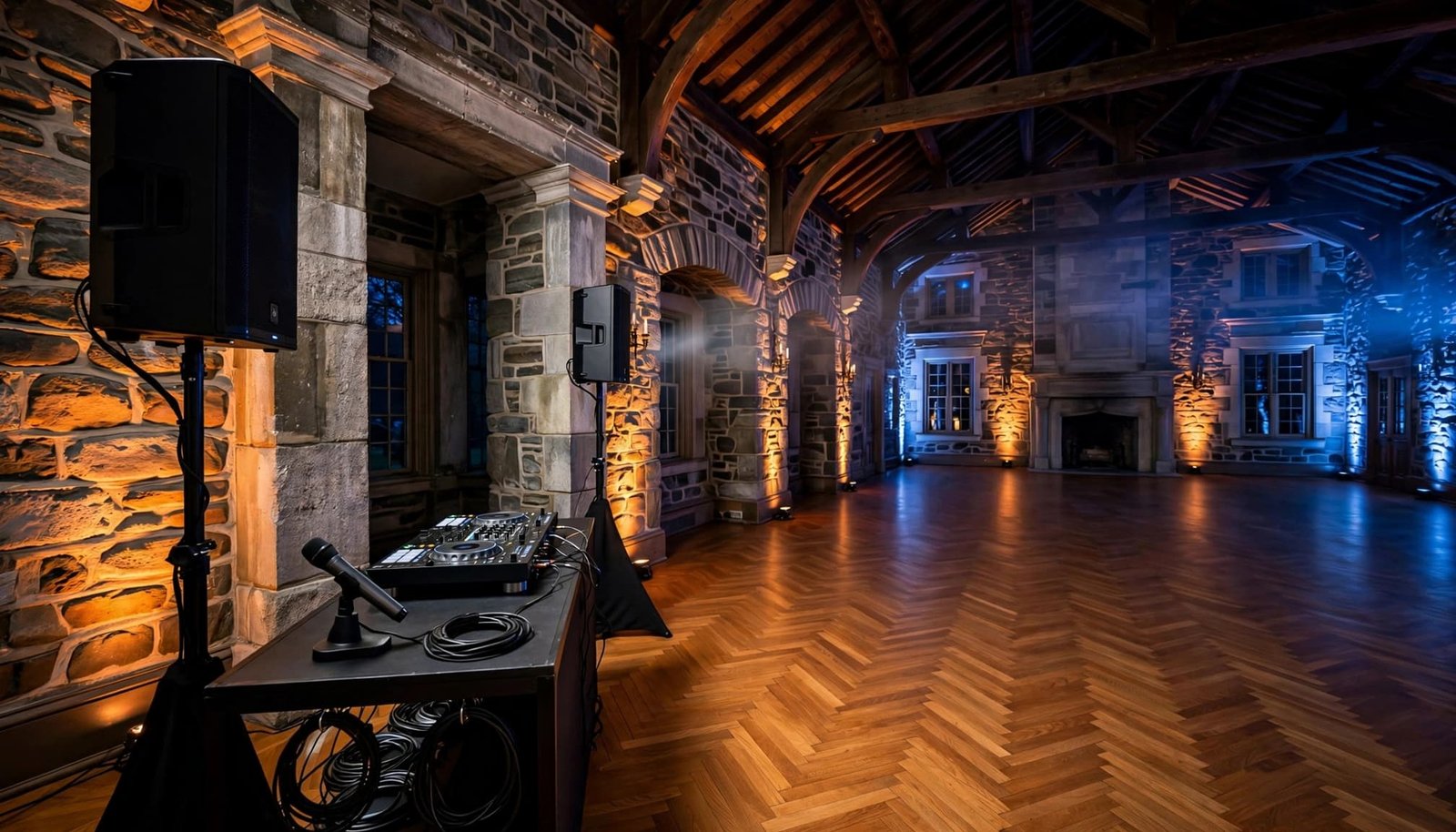
Ask whether speakers must stay in fixed locations and whether the room will be fully set before testing begins. A room that changes after testing may need a quick adjustment before introductions or dinner.
A dance floor can be lively without sending every bass note and announcement into the quietest dinner tables.
Confirm Ceremony Audio Before Booking
Ceremony sound is easy to overlook until guests cannot hear the vows. If your ceremony is outdoors, in a large room, or held apart from the reception, treat it as its own audio plan.
Plan ceremony audio separately, then share the details with the venue. Ask whether the ceremony location has power, a sheltered DJ area, a clear cable route, and space for speakers that won’t block photos or guest views. Schedule a sound check at the ceremony site before guests arrive.
Which microphones will be available?
Ask how the officiant, readers, and anyone offering a toast or blessing will be heard. A wireless microphone is often best for the officiant, especially a wireless lavalier microphone that keeps their hands free.
An officiant’s lavalier microphone can provide clear speech without distracting from the ceremony. Readers may prefer a handheld or wired microphone at a lectern, though a lavalier microphone can also work when they need both hands free.
A wedding AV rental guide recommends considering a lapel microphone for the officiant and a separate handheld or lectern microphone for readers. Your ceremony format, wind conditions, and number of speakers will determine what is appropriate.
Is there a backup for key moments?
Wireless systems are dependable, but a professional setup should include a backup plan. Ask whether the DJ brings a second wireless microphone, spare batteries, backup music access, replacement XLR cables, and adapters.
Also ask who will handle music cues for seating, the processional, any unity ceremony, and the recessional. Clear venue coordination helps the officiant, readers, and DJ stay aligned during these moments.
For couples planning music and sound across the full day, a professional ceremony and reception DJ can coordinate ceremony audio, cocktail-hour music, reception entertainment, and announcements as one connected plan.
Plan for Outdoor Power, Weather, and Wind
An outdoor wedding setup needs more preparation than an indoor ballroom. Sound travels differently across an open lawn, wind can affect microphone clarity, and a passing rain shower can change the plan quickly.
Outdoor ceremony audio may need separate power and speaker coverage, so ask these questions during the venue tour, not in the final week before the wedding.
Where will the DJ get power?
Ask where the outlets are located and whether they’re on dedicated circuits. Find out whether caterers, coffee stations, lighting, photo booths, or other vendors will share the same circuit.
A standard wall outlet may not support a full reception sound system, lighting, and wireless microphone. Your DJ can confirm their actual needs once the venue provides accurate electrical details.
Ask whether approved extension cords or a power strip may be used for safe cable routing and circuit organization. If the location is remote, ask whether the venue provides generator power or whether your DJ needs to arrange a quiet, event-appropriate backup power supply. Confirm where it may be placed, how cables will be protected, and who is responsible for fuel or operation.
What is the weather plan?
Ask where the DJ equipment will move if rain arrives, and confirm that the backup location has power, enough working space, and suitable sound coverage. Review how the lighting design and uplighting will work in that space. A tent alone may not provide enough equipment protection from blowing rain or wet ground.
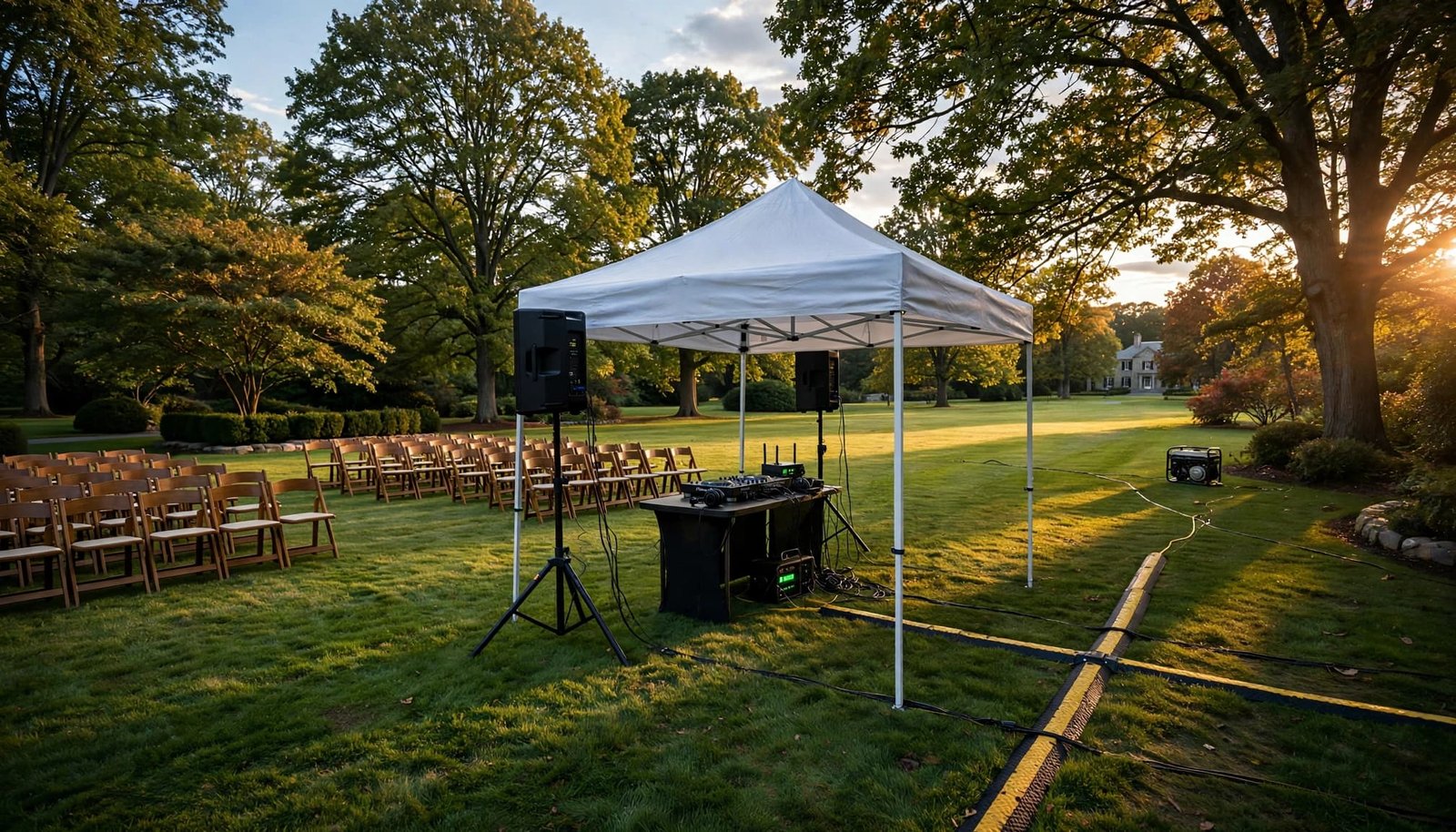
Ask how cables will stay out of walkways and whether cable covers or gaffer tape are required. Confirm that speaker stands and the lighting design won’t create trip hazards. Outdoor wedding audio guidance also highlights the importance of proper speaker and microphone stand placement for clear sound.
Discuss Load-In, Setup Time, and Breakdown
The DJ’s work begins long before the first song. Equipment needs to be unloaded, placed safely, tested, and ready before guests arrive. A rushed setup can affect the atmosphere before the ceremony even begins.
For a reception in one room, many DJs plan for two to three hours before guest access. A separate ceremony location may require an earlier arrival or a second load-in for ceremony audio. Extensive lighting design, stairs, long carries, or a room flip can require more time.
Where is the vendor entrance?
Ask about vendor parking, the loading area, elevators, stairs, long hallways, and the distance from the vehicle to the setup location. Ask whether a hand truck is allowed for long carries or uneven paths.
Confirm whether the DJ can load in before guests arrive. Ask whether extension cords and gaffer tape are permitted for protected cable routes, rather than loose cables across walkways. Send photos to your DJ if the route is unusual.
If early access isn’t possible, ask how the venue will keep equipment movement out of sight and away from guests.
When must everything be removed?
Some venues require vendors to break down immediately after the final song. Others allow equipment to remain in place until guests have left. Get the breakdown deadline in writing, especially if the reception ends late.
Also confirm the event-day contact for DJ questions. Good venue coordination includes a coordinator with the floor plan, timeline, and vendor list. They can resolve a small issue before it interrupts the celebration.
Review the Full Wedding-Day Flow
Ceremony audio, cocktail hour, dinner, toasts, and open dancing may happen in different spaces. The wedding reception can have separate power, sound, timing, and access needs.
A DJ may need more than one setup when the ceremony and reception are far apart. A single sound system may not move instantly between locations. Discuss those needs early, especially if a sound check is required after each room change.
Who calls the cues?
Ask who will tell the DJ when the ceremony begins, when introductions are ready, and when dinner, toasts, dances, and cake cutting should happen. Good venue coordination helps your planner, photographer, venue coordinator, and DJ lead each transition.
Include lighting design in the timeline for introductions and room transitions. Confirm how delays will be handled, too. Photos can run long, dinner service can take extra time, and weather can move an outdoor event indoors. A flexible timeline keeps the evening moving without making guests feel rushed.
What happens if equipment fails?
Ask your DJ how music continues if a laptop, cable, or microphone stops working. A backup laptop with compatible DJ software can keep the sound system running. Ask whether the audio interface has been tested with the rest of the equipment.
Confirm backup options for a wireless microphone and a lavalier microphone, especially for announcements and the officiant. Reliable providers carry replacement equipment because weddings don’t pause for technical issues.
A helpful ceremony sound planning resource notes that speaker placement and microphone needs should be determined for the actual ceremony site. The same principle applies to every part of your day.
For more planning ideas about timing, music, and vendor coordination, browse these wedding DJ and event planning tips.
Put Venue Answers in Writing
A verbal answer during a venue tour is helpful. Written confirmation is better. Send your DJ the venue’s floor plan, access rules, sound policy, ceremony audio details, contact information, and power requirements.
Confirm the microphone plan, including a lavalier microphone for the officiant. Include approved lighting design, cable-safety rules, and whether gaffer tape is required. Have the venue coordinator and DJ review the same floor plan, access rules, power details, and timeline. This venue coordination gives both teams time to flag concerns about speaker placement, extra microphones, lighting restrictions, or an outdoor backup plan.
Key Takeaways
- Confirm the DJ’s exact setup location, available space, sound system, power access, and load-in route before signing a venue contract.
- Ask about floor plans, speaker placement, lighting design, indoor acoustics, volume limits, and outdoor curfews.
- Treat ceremony audio, cocktail hour, and reception entertainment as separate needs when they take place in different locations.
- Get the rain plan, power plan, setup schedule, breakdown deadline, and venue coordination details in writing.
- Choose a DJ who prepares backup music, cables, microphones, and equipment, including a lavalier microphone for the officiant.
Frequently Asked Questions
Does a wedding DJ need a separate setup for the ceremony and reception?
Often, yes. If the ceremony and reception occur in different rooms or far apart on the property, separate sound setups may be the most reliable choice. Your DJ can review the distance, schedule, power access, and guest count with the venue.
Why should I ask about dedicated power circuits?
A dedicated circuit reduces the risk of equipment sharing power with high-demand items such as catering equipment, coffee stations, lighting, or photo booths. Your venue should identify the available outlets, then your DJ can determine what the setup requires.
What if the venue has strict noise rules?
Ask for the exact volume policy, music cutoff time, outdoor restrictions, and measurement location. Share those details with your DJ early so the sound system can be adjusted to fit the venue’s rules while keeping the reception enjoyable.
A Well-Planned Setup Creates a Better Celebration
The best wedding venue DJ setup is not about filling a room with equipment. It is about having the right sound, placement, power, timing, and backup plan for your specific celebration.
When your venue and DJ share clear answers early, your ceremony is easier to hear, your reception feels more organized, and your guests can focus on the moments that matter.