A great reception can build on one song, then lose its momentum on the next. A Spotify wedding DJ plan gives you control over song choices and may reduce entertainment costs. But transitions, announcements, and technical issues remain in your hands.
Spotify can work for a simple celebration, but it can’t replace someone managing timing, announcements, crowd response, and technical problems. The key is whether the music selection can support a consistent wedding reception while you manage the event yourself.
Key Takeaways
- Spotify can work for a small, casual wedding when the music is planned, the equipment is tested, and a dependable person manages the event.
- A professional DJ provides more than song playback, including crowd awareness, transitions, announcements, timing, hosting, and technical support.
- A reliable DIY setup should include downloaded playlists, backup devices, quality speakers, microphones, cables, and a printed wedding timeline.
- A hybrid approach lets you choose the music while a DJ manages the room, formal moments, guest requests, and reception flow.
- Compare the full cost of Spotify Premium, equipment rentals, setup, licensing, and labor before deciding that a playlist is the less expensive option.
Can a Spotify Wedding DJ Setup Replace a Professional?
This setup can play a wedding playlist with planned songs for the ceremony, cocktail hour, dinner background music, and the first dance. It cannot read the crowd, respond to a slow-moving room, introduce formal moments, or solve a speaker problem while you greet guests.
Spotify is a music streaming platform, not a complete service. A professional DJ brings sound equipment, hosting experience, coordinated timing, polished transitions, and live attention to the room. That difference matters most during a wedding reception, when the room is full and guests are ready to dance.
Your savings can be meaningful with DIY wedding music, especially for a smaller gathering. Still, include Spotify Premium, a speaker rental, microphones, cables, delivery fees, and DJ services when comparing costs. This comparison of wedding DJs and Spotify playlists also highlights how equipment, labor, and reception coordination affect the real decision.
| Option | Works Well When | Main Responsibility |
|---|---|---|
| Spotify only | The wedding is small, casual, and has a simple schedule | You or a designated music operator |
| DJ-led reception | The reception has formal events, guest requests, and a full dance floor | The DJ handles music, hosting, and timing |
| Hybrid approach | You want personal music choices with professional support | You choose the songs, the DJ manages the room |
A playlist is not automatically the budget option once rentals and setup time enter the picture. It is the right option when you are comfortable taking ownership of the details and managing your music selection.
Build a Reliable DIY Wedding Music Setup
Reliable results come from treating the setup like a real production, not a phone connected to a speaker five minutes before dinner. Test all sound equipment at the wedding venue in advance, and ask where power outlets, tables, and speaker locations are available.
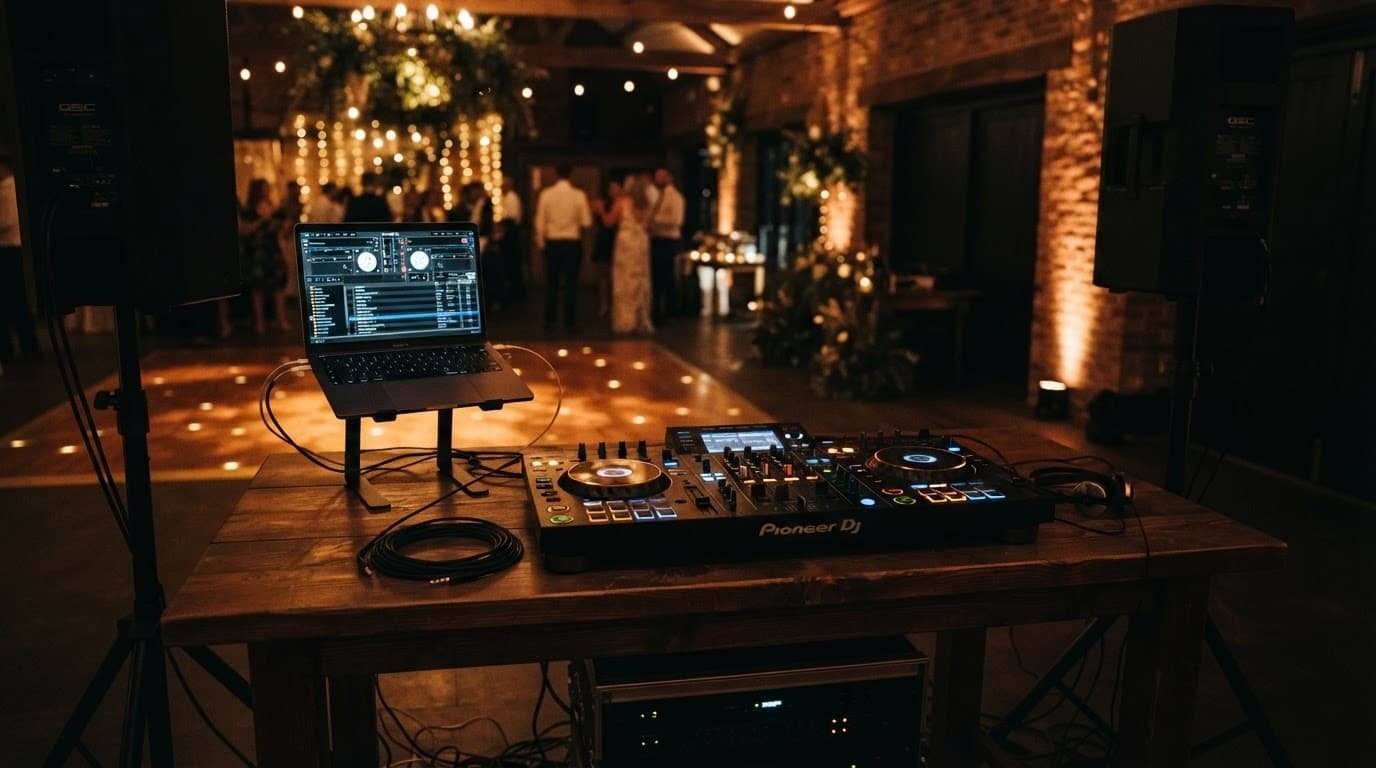
A laptop is usually safer than relying on one phone. It offers a larger screen, better playlist control, and fewer interruptions from calls or notifications. A wired connection to the sound system is generally more dependable than Bluetooth speakers in a crowded reception space.
Your practical setup checklist should include:
- A Spotify Premium account with every music playlist downloaded for offline listening before the event.
- One primary laptop and one backup phone or laptop, both charged and signed into the correct account.
- Two powered speakers on stands, sized appropriately for the guest count and venue layout.
- A mixer or audio interface, plus the correct cables and adapters for your devices.
- A wireless microphone for toasts and announcements, with spare batteries close by.
- Extension cords, power strips, chargers, and gaffer tape.
- A designated, sober music operator who has the printed wedding timeline and knows where each playlist begins and ends.
Create separate custom playlists for each part of the day rather than building one long wedding playlist. Keep ceremony music, the processional, recessional, cocktail hour, dinner, background music, first dance, parent dances, open dancing, and final song in clearly organized sections.
For formal songs, place only the exact version you want in each playlist. A live version, acoustic cover, or remastered edit can be a surprise when you are standing in front of family and friends.
Set crossfade settings only after testing your tracks together. They can reduce empty space between songs, but they cannot fix a poor match between a slow ballad and a high-energy dance song. Turn off Autoplay, silence notifications, and keep guests away from the queue.
Music Flow Matters More Than a Long Playlist
The hardest part of a Spotify-based reception plan is not music selection. It is deciding what should play next.
A professional DJ watches the dance floor, bar activity, guest ages, and event schedule at once. If a song clears the floor, they can change direction within seconds. If guests sing every word, they can carry that energy into the next track.
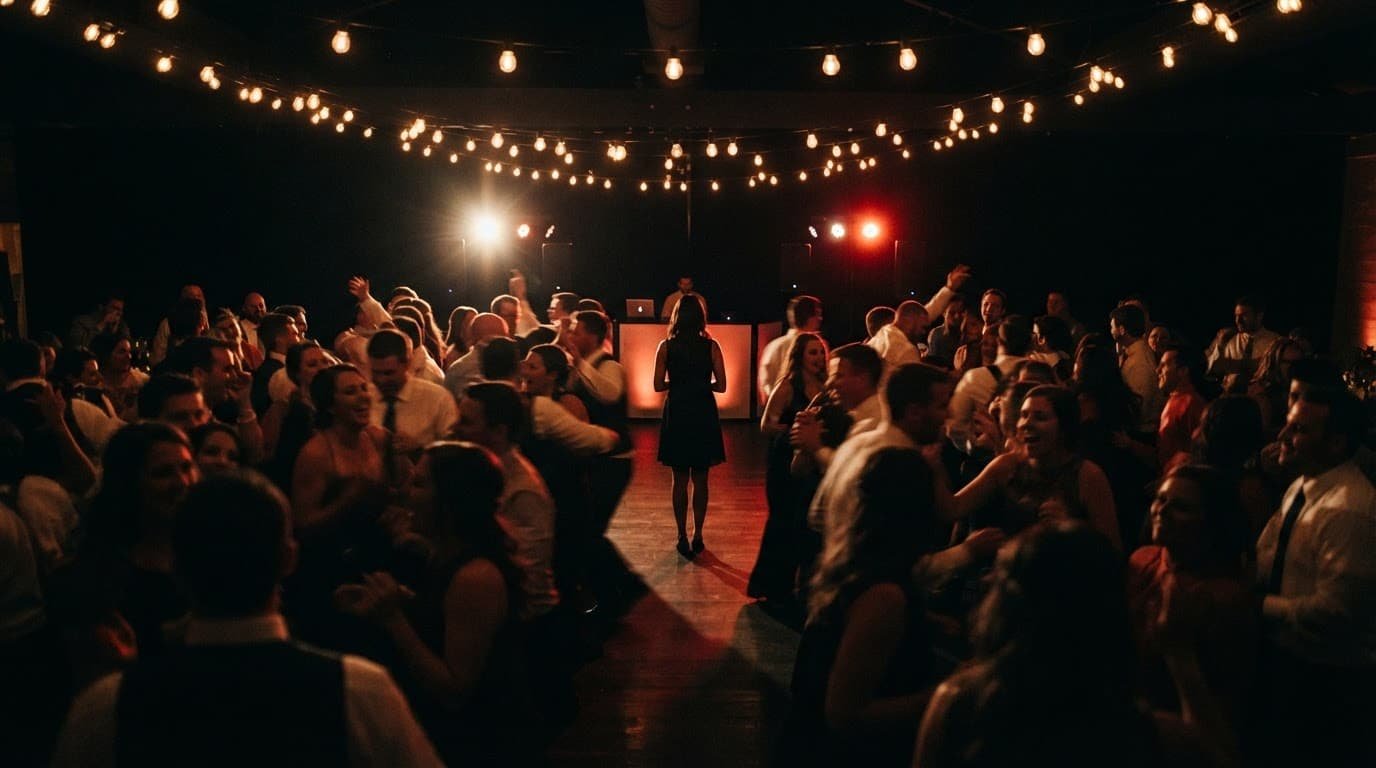
With DIY reception music, assign one person to operate the sound system throughout the event. Don’t give that role to someone in the wedding party, a parent, or anyone who should be enjoying the celebration. They need to follow the wedding timeline. They should know when dinner ends, the best man is ready, and cake cutting needs an introduction. This role requires timeline management, not just pressing play.
The playlist is only the music. Somebody still has to run the moment.
That person should also set clear rules for guest requests. Guests often mean well, but an open queue can quickly lead to explicit songs, abrupt genre changes, and music that doesn’t fit the room. Collect requests on paper or through one trusted contact, then let the operator decide whether they work.
The same debate comes up often in wedding-planning conversations about choosing a DJ or Spotify. The recurring concern isn’t whether couples can build a good music playlist. Most can. The concern is who handles the music when the reception needs attention.
A Hybrid Plan Gives You Both Control and Support
You do not have to choose between total playlist control and handing over every music decision. A hybrid approach gives a professional DJ your custom playlists, must-play and do-not-play songs, first dance songs, and favorite genres. It also gives them room to manage timing and crowd response.
This approach suits couples who value their music selection but don’t want to monitor volume levels or manage the room. Confirm that the DJ services package includes MC services, introductions, toasts, announcements, transitions, and guest requests.
Smaller weddings can benefit from this option too. A small-wedding Spotify discussion shows why guest count alone does not settle the decision. Even 50 guests need clear announcements, quality sound, and somebody responsible when plans shift.
Keep your must-play list focused. Include the songs that matter most, then share a few artists, decades, and genres that fit your crowd. A good DJ can match the party vibe, keep the dance floor active, and avoid treating your list as a fixed script.
Confirm Venue Policies, Licensing, and Backup Plans
Before committing to DIY wedding music, ask your wedding venue about outside sound equipment, speaker placement, and power access. Also confirm sound limits, curfews, wireless microphone rules, and whether the venue provides audio equipment. Some venues use sound limiters that reduce or cut audio when levels become too high.
Ask the venue in writing whether its licensing covers your planned reception music for the wedding reception. A Spotify Premium subscription does not automatically establish public-performance rights for that use. Review Spotify’s current terms and verify any licensing requirements with the venue before the event.
Keep a backup plan for every important moment. Have your ceremony music and first dance selections downloaded on two devices. Bring charging cables, spare batteries, and a printed cue sheet. If the main laptop fails, your operator should know how to start the backup music without searching through an account.
Frequently Asked Questions
Can Spotify replace a professional wedding DJ?
Spotify can play carefully planned wedding playlists, but it cannot manage crowd response, announcements, timing, or technical problems. It works best for simple celebrations with a designated music operator.
What equipment is needed for a Spotify wedding setup?
A reliable setup typically includes a laptop, downloaded playlists, two powered speakers, a mixer or audio interface, a wireless microphone, cables, power supplies, and a backup device. Test everything at the venue before the wedding.
Who should manage the music during a DIY wedding?
Choose a sober person who is not part of the wedding party and can follow the printed timeline. They should manage cues, volume, formal songs, guest requests, and backup equipment throughout the reception.
Is a hybrid Spotify and DJ plan a good option?
Yes, a hybrid plan gives you control over must-play and do-not-play songs while the DJ manages transitions, announcements, timing, and the dance floor. Confirm that the package includes the MC services and reception coordination you need.
Is Spotify cheaper than hiring a wedding DJ?
It can reduce entertainment costs, but include Premium, speaker and microphone rentals, cables, delivery, setup time, and licensing requirements in the comparison. A professional DJ may provide equipment and services that make the overall difference smaller than expected.
The Right Choice Is the One You Can Enjoy
Spotify can handle wedding music when the event is simple, the audio is tested, and a dependable person manages every cue. It offers personal control, familiar songs, and flexibility for couples who enjoy planning the details.
A professional DJ gives you more than a playlist. DJ services provide experience, reliable equipment, crowd awareness, and a host, while MC services keep things moving, so you can stay present with guests instead of monitoring equipment, timing, and transitions.