Students can feel the difference between a dance that has a real plan and one that feels thrown together at the last minute. School dance ticket sales set the tone early, because the process affects attendance, safety, budgets, and how confident families feel about the event.
A strong ticket plan makes high school dance tickets easy to understand and easy to join. It also gives event organizers, advisors, administrators, chaperones, and entertainment vendors the accurate event details they need before the doors open.
Start with a clear goal, then build the sales process around it for smoother school events.
Key Takeaways
- Set the ticket price, capacity, guest policy, sales dates, refund rules, and payment options before promoting the dance.
- Choose a ticket system your school can support, with digital scanning or an organized paper-ticket backup for reliable check-in.
- Keep pricing clear and fair by using early-bird windows, optional bundles, and accessible purchase options without surprise fees.
- Repeat the essential event details across announcements, posters, social posts, and ticket materials so families know where and how to buy.
- Protect student privacy, limit access to sales data, and prepare a clear entry, guest approval, refund, and financial reconciliation process.
School Dance Ticket Sales Begin With a Clear Plan
Before designing posters or posting a link, meet with the faculty advisor and decide what success looks like. Is the priority to cover costs, fill the room, raise money for a senior class activity, or keep high school dance tickets affordable for as many students as possible?
Set the ticket price, maximum attendance, guest policy, sales dates, refund policy, and payment options before making the first announcement. A clear plan keeps student council members from giving different answers in the hallway, on social media, and at the ticket table.
Give One Adult Final Approval
Student leaders should drive promotion and ideas. A faculty advisor or administrator must approve money handling, guest rules, privacy, and messaging. Proceeds should be deposited and reconciled through the approved school bank account.
Choose one point person who can answer questions when policies change. That person should also coordinate with the venue, facilities team, school resource officer if applicable, chaperones, and DJ. A confirmed attendance count helps the entertainment team plan the room, sound level, lighting, and event flow with fewer surprises.
Set Capacity and Pricing Early
Ask facilities staff for the approved room capacity, then leave a reasonable margin for staff and vendors. A packed gym may look exciting, but crowded check-in lines and limited space can affect the experience quickly.
Work backward from the budget. If the dance costs $1,800 and 180 students are expected, a $10 ticket covers the basic expense before payment fees. A school can lower that price through class funds, sponsors, or a parent group contribution.
Choose a Ticket System That Fits Your School
The best system is one your school can afford, support, and explain clearly. For school dance ticket sales, online ticketing software can support digital ticketing for schools and reduce cash handling. A live attendance count helps organizers plan entry for high school dance tickets.
Compare Digital Ticketing Features
Event ticketing software can provide digital tickets, payment records, and scanning. Real-time reporting gives organizers a current sales picture, mobile scanning speeds entry, and a custom box office keeps event details consistent.
A school-approved provider may support a ticket template with consistent fields for digital and printed tickets. A customizable ticket template can carry the school name, event details, and entry instructions. If the provider supports exports, a print ready pdf offers a practical paper-ticket option. HomeTown Ticketing supports scanning digital or printed tickets from mobile devices, while Vanco Events offers school event ticketing with scanning and refund tools.
When comparing event ticketing software providers, ask about payment processing fees, payout timing, refund steps, account permissions, and customer support. Some schools may want student ID restrictions or passcodes. Tickets4Schools describes student ID card options for ticket sales and check-in, but districts should approve them before promising this setup.
Use a Low-Cost Backup When Needed
Not every school has the budget or purchasing approval for an online platform. A paper ticket system can still work well when it is organized.
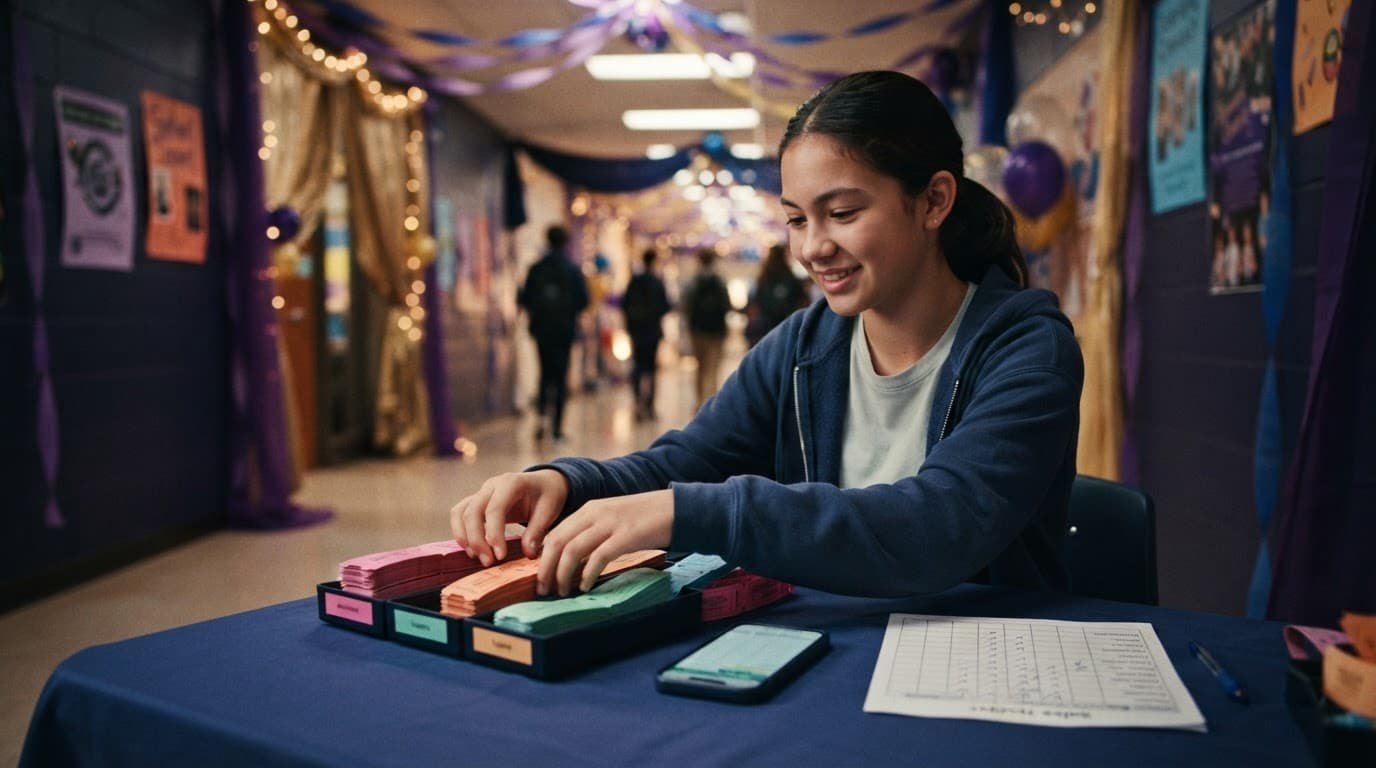
Use a ticket template for the numbered paper-ticket layout, a ticket sales tracker, receipt books, and a locked cash box. A customizable ticket template can provide a printed alternative with the school name, event details, and entry instructions.
Keep a school-approved ticket template and editable template file in the backup procedure for staff updates without rebuilding the design. Have two approved adults count money together at the end of each sales period. Offer a school-office cash option for families who don’t use cards or online payments.
Do not collect card numbers through a paper form, email, or shared spreadsheet; use an approved payment system instead. An approved school online store should link families to the ticket page rather than collect card data in a spreadsheet.
Price Tickets Fairly and Make the Offer Clear
A low price can build attendance, but it still has to support the event budget. Base the model on expected attendance when pricing high school dance tickets. List every known cost, including the DJ, decorations, venue expenses, security, food, photo booth, ticketing fees, and contingency funds.
For prom ticket sales, early-bird pricing is one of the simplest ways to create momentum without making students feel pressured.
Offer an Early-Bird Window
A practical structure might be $10 for the first two weeks, $12 during regular sales, and $15 at the door if capacity allows. The increase should be modest and clearly posted from day one.
Use a ticket template to show the applicable sales tier and deadline. A customizable ticket template can include fields for early-bird and regular-price amounts. An editable template lets the advisor update dates, prices, or deadlines before publication.
Use language that feels welcoming: “Winter Formal tickets are $10 through Friday. Buy early, save $2, and help us plan a great night.” Avoid surprise fees at checkout. Students should know the full price before they pay.
Build Optional Bundles, Not Pressure
A bundle can work when it adds a real convenience. A prom ticket with an optional photography add-on, or a ticket with an optional class shirt, may appeal to students who already planned to buy both.
Group sales can help students who are buying together, but any offer should remain optional and transparent. Use a customizable ticket template to list optional photography or spiritwear bundles. Create a separate ticket template for that optional bundle layout, with clear choices and prices.
Keep the choices simple:
- Offer the dance ticket by itself at the standard price.
- Add optional photo packages or spiritwear packages with clear prices.
- Let students buy a ticket without being required to purchase extras.
Accessibility and affordability belong in the same conversation. If the dance includes reserved seating or a viewing area, review the ADA ticket sales requirements before setting prices or procedures. Share a contact for accommodation requests, and make the cash-purchase option clear.
Promote the Dance With Messages Students Notice
When promoting high school dance tickets, repeat the essentials. Include the date, time, location, price, sales deadline, guest policy, and where to buy. Keep the design energetic, but do not let details hide behind decorations or theme graphics.
Use one ticket template across posters and ticket graphics, so key details stay consistent. A customizable ticket template can match the event theme while keeping practical information easy to find.

Use Announcements, Posters, and Social Posts Together
A poster catches students in the hallway. A short announcement reaches those who missed it. Social media gives reminders during the week when students are making plans.
Adapt the approved message for each format. Use the ticket template for announcement and social-media assets. A customizable ticket template can also support posters, digital listings, and printed materials.
Use direct, confirmed messaging:
- For the morning announcement: “Homecoming dance tickets are now on sale for $12. Sales close next Thursday. Purchase online or bring cash to the main office.”
- For a poster: “One Night. One Dance Floor. Get Your Ticket Before Sales Close.”
- For social media: “Tickets are live! Grab yours before the early-bird price ends Friday.”
Keep the approved message in an editable template, so staff can update the sales deadline without changing the wording.
If music requests are part of the promotion, treat them as input, not promises. Say that requests will help guide the playlist, while the advisor and DJ review lyrics, exact versions, and timing for a school-appropriate event.
Turn Spirit Week Into a Sales Push
Spirit week can create ticket momentum without adding much cost. Tie each day to a reminder, not another complicated contest.
Try a themed countdown with a photo backdrop at lunch, a “best dressed” preview day, or a class challenge based on ticket participation. Keep class totals private if public numbers could embarrass students. A simple prize, such as first access to a photo station or a class shoutout, is usually enough.
Promote the atmosphere honestly. If clean music, professional lighting, photo opportunities, and a polished DJ are confirmed, say so. Students respond better to real details than vague promises.
Protect Student Privacy and Control Entry
A ticket system should make entry easier without turning student information into a public list. Keep the data limited to what the school needs to sell tickets, verify eligibility, and handle attendance.
The U.S. Department of Education’s overview of FERPA and student privacy is a useful reference when organizers are deciding what student information belongs in a ticketing process.
Use Student IDs Carefully
Student ID numbers can work as approved purchase passcodes or check-in tools, but only with district approval. Keep these credentials separate from publicly displayed student information.
Review the ticket template before publishing it, and confirm which fields appear on the ticket. A customizable ticket template must never display medical information, full identifiers, grade schedules, phone numbers, or other sensitive data; remove or disable optional fields that expose it.
Collect the minimum information needed. For most dances, that may be a student name, school email, ticket status, and a guest approval record when guests are allowed. Use security protocols to limit sales-list access to the advisor and approved staff; retain data only as long as school policy requires.
A ticket confirms admission. A passcode does not replace guest approval, school discipline rules, emergency contacts, or a clear supervision plan.
Plan Check-In and Check-Out
Create a simple entry flow before event night, using temporary or controlled passcodes for check-in only when needed. Have one table for ticket scanning or ticket collection, one staff member to handle questions, and visible chaperones near the entrance.
Use a current attendee list and keep a backup printed copy in case Wi-Fi fails. If school policy requires tracking early departures, assign that task to a staff member rather than asking students to manage it.
For outside guests, require pre-approval, photo identification, and a clear deadline. Don’t accept unapproved guests at the door because a student says they are “on the way.”
Publish Refund and Cancellation Rules Before Sales Open
Refund questions are easier when the policy is written before anyone pays. State whether refunds apply to cancellations, illness, schedule conflicts, discipline-related ineligibility, or a student who decides not to attend.
Keep the wording calm and plain: “Tickets are refundable only if the school cancels or reschedules the dance. Requests must be sent to the main office by the posted deadline.”
Confirm Who Handles the Money
If an online platform processes payments, learn who issues refunds and how long they take. Refunds and post-event adjustments should follow the school’s approved financial process, with records reconciled to the school bank account. Payment providers may allow full or partial refunds, but processing fees can vary. Stripe’s refund guidance explains the difference between canceling an unfinished payment and refunding a completed transaction.
Don’t transfer tickets casually between students. Void the original ticket and issue a replacement through the approved process. That protects against duplicate screenshots, confusion at the door, and arguments during check-in.
A Final Ten-Day Ticket Sales Timeline
A short schedule keeps sales of high school dance tickets moving and gives the advisor time to catch problems early.
- Ten days out: Confirm capacity, pricing, ticket system, guest policy, accessibility contacts, and refund language.
- Seven days out: Test a purchase, receipt, scanning process, and cash-sale procedure. Verify passcodes, eligibility checks, and the backup entry process.
- Five days out: Begin daily announcements, lunch-table reminders, and social posts. Ask staff to share the approved message.
- Three days out: Send an early-bird deadline reminder. Review sales totals and decide whether more promotion is needed.
- One day out: Export the attendee list, prepare scanning devices and chargers, count cash with two adults, and brief chaperones.
- Event day: Keep the entrance organized, use the approved guest list, and give the DJ the final timeline for announcements, special moments, and closing.
- Next school day: Reconcile payments, document refunds, thank attendees, and note what worked for the next dance.
Frequently Asked Questions
What information should school dance tickets include?
Tickets and promotional materials should list the event name, date, time, location, price, sales deadline, guest policy, and entry instructions. Keep the design consistent across digital and printed materials so students and families receive the same information.
Should a school use digital or paper tickets?
Digital ticketing can simplify payment records, attendance counts, and mobile scanning. A paper-ticket system can also work when the school uses numbered tickets, a sales tracker, receipts, and two-adult cash reconciliation.
How can schools make dance tickets more affordable?
Schools can use early-bird pricing, class funds, sponsors, or parent group contributions to reduce the cost. Cash and approved online payment options should both be available when possible, and optional bundles should never be required.
What student information should a ticketing system collect?
Collect only the information needed to sell tickets, verify eligibility, approve guests, and manage attendance. Avoid displaying sensitive information such as medical details, full identifiers, schedules, or phone numbers on tickets or public lists.
What should a school do if the dance is canceled or a student requests a refund?
Publish the refund and cancellation policy before sales open, including the deadlines and situations that qualify. Refunds should follow the school’s approved financial process, and transferred tickets should be voided and reissued through the approved system.
Final Thoughts
The strongest ticket plan is clear, affordable, protects student privacy, and is easy for families to follow.
When the student council, advisor, administration, and event team agree on details early, the process supports smooth entry. Document it for the next dance, so your team can build on what worked.