Music can make a company gathering feel relaxed, polished, and worth attending. It can also become one more detail someone manages all night. The DJ vs playlist decision depends on event size, budget, audience engagement, music variety, music selection, and setup responsibility.
A small office lunch or low-key gathering may only need pleasant background music. A client-facing gala, award ceremony, or large holiday party often needs more attention. Consider emcee needs and backup planning before deciding what the music must do for the room.
Key Takeaways
- Choose a playlist for small, low-risk gatherings where music mainly supports conversation and the program is simple.
- Choose a professional DJ when the event needs audience engagement, microphones, announcements, timeline control, or music that changes with the room.
- Compare the full operational cost, including sound equipment, staffing, technical backups, licensing, and the consequences of a missed cue or equipment failure.
- Give either option a clear music brief with approved styles, clean versions, volume expectations, and a do-not-play list.
- If you manage the music yourself, assign one reliable operator and prepare offline playback, backup equipment, tested cables, and a power plan.
DJ vs playlist: Start With the Event’s Job
The right choice depends on the role music plays during the event. If it only needs to make a quiet room feel welcoming, a well-prepared playlist may be enough. If music must support announcements, award walk-ons, dancing, and a detailed schedule, a DJ is often the better fit.
A playlist works for relaxed, low-risk gatherings
A playlist can work well for a small team lunch, open house, casual networking mixer, employee appreciation breakfast, or staff gathering in a familiar office space. The goal is usually pleasant background music, not active crowd engagement on a dance floor.
It also gives the planning team complete control over the selections. You can build a mix around approved artists, company values, and employee preferences. This approach suits events with a simple program and limited audience interaction.
The tradeoff is simple. Someone still needs to own the music. Assign a reliable person to start it, adjust the volume, skip a song when needed, and handle technical issues without missing the event.
A DJ is built for events with moving parts
A professional DJ is more than someone who plays music between dinner and dancing. They can manage microphones, coordinate walk-on music, make approved announcements, watch the energy in the room, and keep transitions clean as the event changes direction.
That matters when leadership is speaking, awards are being presented, a photographer needs guests gathered, or the room’s energy needs to change quickly. A playlist cannot notice that a speaker is running late or that the schedule has changed.
If one person is responsible for music, microphones, timing, schedule changes, and guest questions, the event is already asking for more than background playback.
When a Playlist Is Enough for a Company Event
A DIY playlist is a sensible choice when the program is simple and the consequences of a missed cue are low. Check whether one person can monitor the music without neglecting other duties. If the event passes that test, a careful plan can still feel professional.
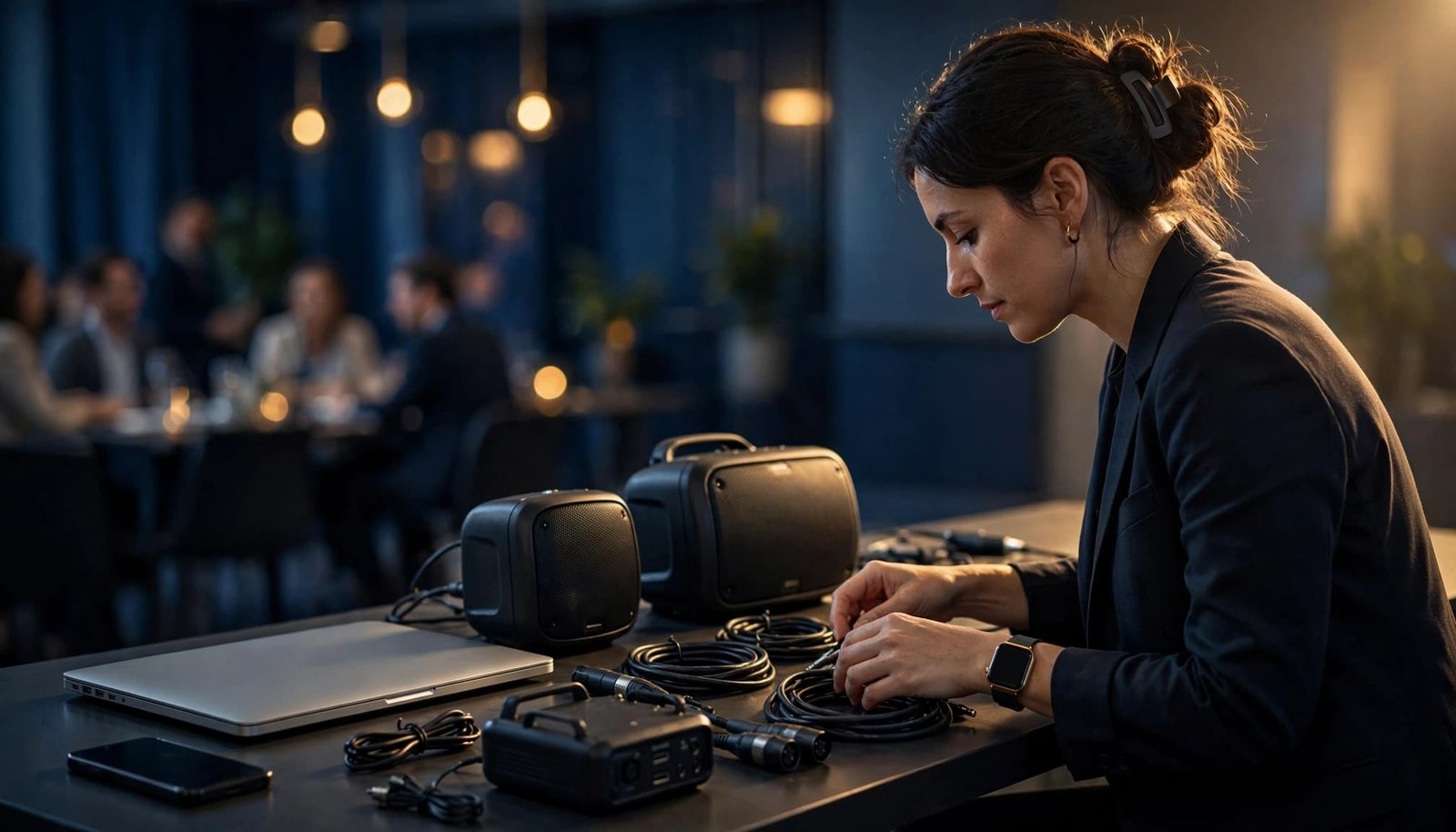
Keep the music in the background
For a casual gathering, use background music that supports conversation instead of competing with it. Start at a lower volume during arrivals, food service, and networking. Save familiar, upbeat tracks for later if the room naturally becomes more social.
Avoid long blocks of one style. Two or three tracks with a similar feel can sound intentional, but an entire hour may make a mixed workforce lose interest. Rotate through compatible music genres so employees of different ages and tastes can enjoy the room.
A Spotify playlist can help with planning. Share it with decision-makers before the event to collect feedback early. A streaming account doesn’t resolve licensing questions or guarantee offline playback. Build the final list from reviewed tracks, not a public collaborative list where unapproved songs can appear at the last minute.
Give one person control
Choose a sober, reliable staff member who isn’t leading games, serving food, or greeting guests. That operator should have the approved list, the do-not-play list, a charging cable, and authority to skip anything that doesn’t fit the event.
Allow song requests only when the operator can screen them against explicit lyrics, company standards, and the approved list. A popular track may still have a questionable theme or unsuitable version. A radio edit helps, but it isn’t automatic approval. Check the exact version before it plays.
For simple, low-risk events, this level of planning may be all you need.
When a Professional DJ Is Worth the Investment
A professional DJ becomes a stronger investment when the event is large, public-facing, schedule-driven, or built around guest participation. The value goes beyond the music library, including room management while your team focuses on employees and guests.
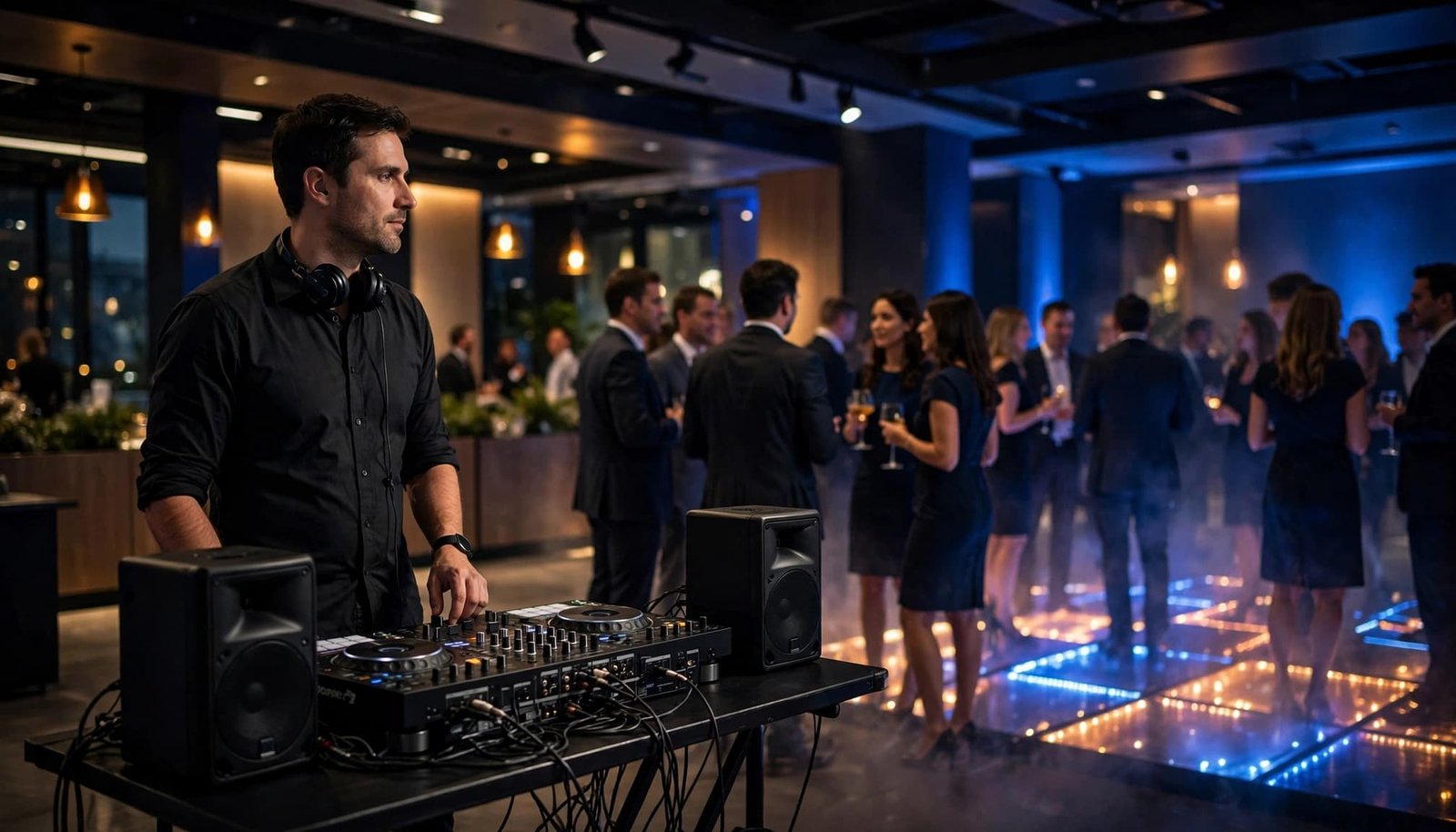
A DJ can read the room and change course
A static playlist cannot tell when guests want to dance, when the dance floor is filling, or when the volume is too high for conversation. A DJ watches those signals and changes the music before the room loses momentum.
For a company holiday party, the music may begin with warm throwbacks, clean Top 40, and familiar singalongs. Later, after speeches and recognition are complete, the DJ can build a high-energy dance party based on what the crowd responds to.
That flexibility becomes more valuable with mixed corporate crowds, where employees, executives, clients, families, and other groups may share the same room. A good DJ can shift between preferences without forcing one narrow style on everyone.
A master of ceremonies keeps the program moving
Many high-stakes corporate events need more than a dance set. They need clear introductions, award winner names, sponsor mentions, and microphone handoffs. Timeline management keeps speeches, dinner, awards, and transitions on schedule.
A walk-on cue for an award winner often needs only 10 to 20 seconds. The DJ can start the music at a recognizable point, fade it at the right time, and create seamless transitions into the next announcement. Playing full songs between every award can slow an otherwise polished program.
The DJ can also coordinate with the venue, photographer, caterer, and event lead. That coordination reduces awkward pauses and helps keep the schedule organized.
Compare the Real Costs, Not Only the DJ Fee
Cost depends on audience size, venue constraints, and what your company already has. A playlist may be the lowest-cost choice when an internal operator can manage a familiar sound system, while a professional DJ or live band adds staffing and production value. A live band may create stronger live energy, but it generally requires more space, setup, technical riders, and budget than a playlist.
Use this comparison before making the final decision.
| Consideration | Playlist Approach | Professional DJ Approach | Live Music Alternative |
|---|---|---|---|
| Music control | Your team approves every track, but music variety depends on the library and operator. | Your team provides direction, requests, and restrictions while the DJ manages selections. | The group usually follows a set repertoire, with less song-by-song control. |
| Sound equipment | You may need speakers, stands, a mixer, cables, microphones, and other audio equipment. | The DJ typically supplies the main system and related equipment. | The performers may have specific venue and technical requirements. |
| Announcements | A staff member handles playback and speaking duties. | The DJ can provide MC support and manage cues. | A designated host may need to handle announcements between sets. |
| Dance-floor changes | The playlist stays fixed unless an internal operator actively changes it. | The DJ adjusts music based on guest response and event timing. | The performers can change energy between sets, but not always song by song. |
| Technical backups | Your team supplies a second device, cables, and a power plan. | An experienced DJ normally arrives with backup equipment. | The performers may bring backups, but requirements vary by group and venue. |
The biggest cost question is not “What does a DJ charge?” It’s “What happens if the sound, a microphone, or the schedule fails during our event?” For a low-key office party, the answer may be manageable. For a recognition dinner with leadership and clients present, it may not be.
Build a Reliable DIY Playlist Setup
If you choose the playlist route, treat it like a small production. A smart phone connected to one portable speaker may be fine for a conference room lunch. It is rarely an adequate sound system for a ballroom, outdoor tent, or large employee event.
Bring the right audio equipment
For a larger room, plan on powered speakers on stable stands, a mixer or audio interface, and a dedicated laptop or tablet. Add tested cables and a wireless microphone for remarks and announcements. Test every connection in the actual space, not only at the office.

Photo by Caleb Oquendo
Keep audio and power cables along walls whenever the venue-approved layout allows. Do not run them across doorways, emergency exits, stairways, or accessible paths. Use a proper cable ramp for a necessary crossing in a high-traffic area.
Sound should be full and clear, not harsh or overwhelming. Walk the room during the sound check, and review crossfade settings for background playback. Guests near the speakers should not feel blasted, and guests in the back should still hear announcements.
Plan for internet and power problems
Build a backup plan that doesn’t depend on venue Wi-Fi. Download the approved Spotify playlist for offline playback on the primary device, then keep the same files on a second device. Bring chargers, spare adapters, backup cables, and a battery pack or approved backup power source.
A basic checklist should include:
- A primary playback device and a second device with the approved music stored offline.
- Tested audio cables, the correct adapters for your equipment, and spare cables.
- Chargers, a battery pack, or an approved backup power source.
- A printed event schedule with cue times, contact names, and a named troubleshooter who can respond without leaving the program unattended.
There is also a licensing question. Spotify’s public and commercial use policy states that its service is for personal, non-commercial use and cannot be played publicly from a business. A personal Spotify playlist or account isn’t automatically licensed for public commercial use. Confirm the venue’s music licensing and your intended use before relying on a personal streaming account.
Match Music to the Company and the Event Timeline
The strongest music plan begins with three to five words that describe the event. “Confident, modern, welcoming, and premium” gives a DJ or playlist manager a clear direction. A short creative brief supports music curation and helps the provider build a coherent progression. It should define approved styles, clean versions, volume levels, and audience expectations. It also helps remove songs that feel too aggressive, too casual, or too sleepy.
Build energy in stages
A gala dinner often needs refined music that stays under conversation. Instrumental soul, polished jazz, light electronic selections, and softer versions of familiar songs can work for arrivals, cocktail hour, and meals.
For formal award presentations, corporate ceremony music may use cinematic, orchestral, or instrumental cues, including percussion, brass, and strings. These sounds add scale without distracting lyrics. Modern lifestyle awards may support disco-pop, clean hip-hop, upbeat house, or stylish remixes.
After recognition and formal remarks are complete, music can move into a more energetic dance segment. Clean versions of familiar tracks such as “September,” “24K Magic,” “Happy,” or “Can’t Stop the Feeling!” can create shared moments when they fit the crowd and company policy.
Set boundaries before requests arrive
Give the music provider an approved list of styles, a do-not-play list, and one final contact who can make quick decisions. This is especially important for client events, family-friendly celebrations, and companies with a more conservative public image.
Clarify the volume expectations for each part of the event. Networking music should allow people to speak comfortably. Award announcements need clear speech. A dance floor can be more energetic, but loud is not the same as exciting.
The choice becomes easier when the brief and schedule are clear, content standards are set, and one person owns final decisions.
Frequently Asked Questions
Is a playlist or DJ better for a company event?
A playlist is usually enough for a small, relaxed gathering with simple background music. A professional DJ is better when the event includes dancing, announcements, awards, schedule changes, or active audience participation.
How much does a professional DJ add to a company event?
A DJ adds more than music playback by managing sound equipment, microphones, transitions, announcements, and changes in energy. That support can reduce the burden on your planning team and lower the risk of awkward pauses or missed cues.
What equipment is needed for a DIY event playlist?
Larger events may need powered speakers, stands, a mixer or audio interface, a dedicated playback device, tested cables, and a wireless microphone. Bring a second device with offline music, spare adapters, chargers, and an approved backup power source.
Can a company use a personal Spotify playlist at an event?
A personal Spotify account is not automatically licensed for public commercial use. Review Spotify’s commercial-use policy and confirm the venue’s music licensing requirements before relying on a streaming account.
How should music be chosen for a corporate event?
Start with three to five words that describe the event, then define approved styles, clean versions, volume levels, and audience expectations. Build energy in stages, keeping music under conversation during networking and meals before moving to more energetic selections when the schedule allows.
Choose the Support Your Event Needs
A playlist is a practical, budget-friendly choice for a small, conversation-focused gathering. For a formal company reception or dinner program with a simple schedule, it can provide reception music when existing equipment and a dedicated operator are available.
For a large, client-facing, or schedule-driven event, choose a professional DJ. Audience participation, microphones, timeline control, music variety, or backup coverage can raise the risk. A master of ceremonies can manage introductions, announcements, and program control. A dance party also benefits from music that responds to the crowd.
Consider live music or a hybrid setup only when the venue, budget, and technical setup support it. Choose the option that protects the guest experience and keeps your planning team from troubleshooting during the event. The best choice matches the event’s operational demands, not merely the lowest upfront price.