Nothing pulls attention away from an important message faster than a microphone that squeals, fades out, or leaves half the room straining to hear. A practical microphone checklist gives speakers, presenters, moderators, and AV teams a clear plan before the first guest arrives.
Professional audio is not about using the most equipment. It is about matching the right microphone, sound system, and backup plan to the room, program, and people on stage. Start with the venue and build from there.
Key Takeaways
- Begin with a venue walkthrough, a clear run sheet, and defined stage cues so the audio plan matches the room and program.
- Choose microphones based on how each speaker moves, what they wear, and how much audience interaction the event requires.
- Conduct a real-room sound check with every speaker, wireless channel, battery, handoff, and audience question period.
- Keep a wired handheld microphone, spare batteries, transmitters, and cables ready so the team can respond calmly to technical issues.
Begin With a Venue Walkthrough and a Clear Program
A microphone can sound excellent in a quiet office and struggle in a ballroom, convention center, outdoor tent, or hotel meeting room. Begin with a formal venue assessment, then complete a venue walkthrough with the AV technician and audio production lead before event day whenever possible.
Listen to the Room Before Placing Speakers
Check where guests will sit, where presenters will stand, and where loudspeakers are positioned. Note hard walls, glass, high ceilings, and open spaces that can make voices sound harsh, echoey, or distant. Check whether the lighting design and LED video walls support clear sightlines, display visibility, and large-format visuals.
Record the findings from the venue assessment in the corporate event AV checklist. Verify power distribution, speaker placement, ceiling-rigging rules, cable routes, volume limits, and frequency coordination. Venue instructions come first, especially when cables cross walkways or equipment needs to be secured.
A professional sound system usually includes speakers, a mixing console, wireless receivers, and a technician who can adjust levels as the room fills. An empty ballroom often sounds different once tables, people, linens, and catering stations are in place.
Map Every Person and Every Cue
Create a simple run sheet that lists each speaker, panelist, moderator, video cue, remote handoff for hybrid events, and audience question period. Include the microphone each person will use and who gives the final “go” cue.
The presenter should never guess when a walk-on track starts or when a microphone goes live. Assign final stage cues to one person, often the show caller, event production lead, DJ, or lead technician.
Confirm names, titles, pronunciations, speaking order, and expected handoffs during the technical rehearsal. This keeps the program polished and prevents those small pauses that can make a well-planned event feel uncertain.
Corporate Event Microphone Checklist: Choose the Right Mic
Choosing wireless microphones depends on how the speaker moves, what they’re wearing, and how much audience interaction the program needs. The right option should feel comfortable, look professional, and keep the voice clear.
Podium Microphones Work for Formal Remarks
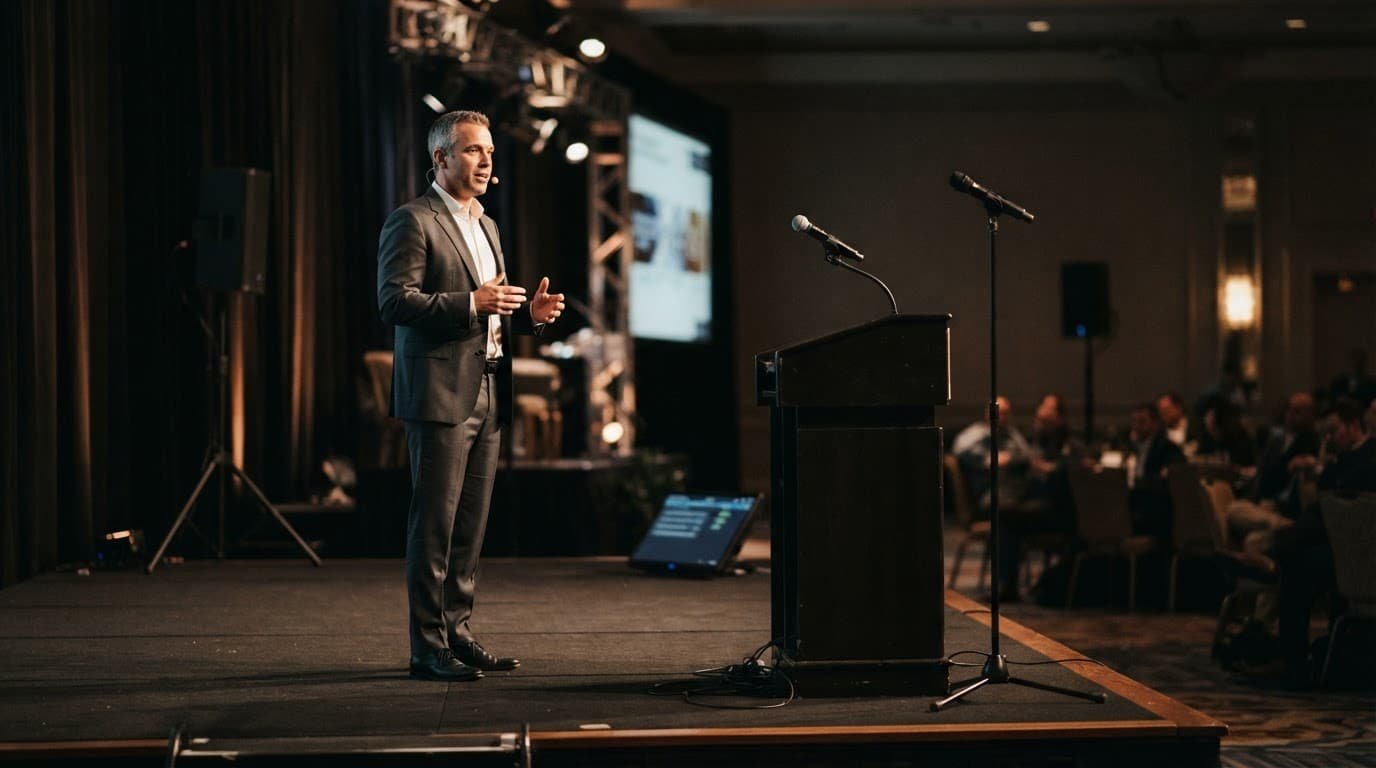
A gooseneck podium microphone is a dependable choice for an executive welcome, award presentation, or scripted announcement. It stays in one place, keeps the speaker’s hands free, and eliminates the need to manage a wireless pack.
Set the podium to the proper height before guests enter. Speakers should talk across the microphone, not directly down into it. If multiple people use the podium, confirm that the stand, notes, and water glass don’t block the mic.
Lavalier Microphones Need Careful Placement
Lavalier microphones are small clip-on mics for presenters who need to move, gesture, or use slides. They also require more preparation than many people expect.
Clip the mic about six to eight inches below the speaker’s mouth, usually near the center of the chest. Keep it away from necklaces, scarves, rubbing jacket lapels, loose fabric, and long hair. Clothing noise can be louder than the presenter.
Ask the speaker before attaching anything to their clothing. Let them place the transmitter pack themselves if they prefer. The cable should have enough slack for comfortable movement without hanging near the feet.
Handheld and Headset Mics Have Their Place
Wireless handheld microphones work well for audience questions, quick speaker changes, and energetic emcees. Tell speakers to hold the mic close to their mouth, not at waist level like a television remote.
Headset microphones suit trainers, auctioneers, and presenters who move frequently. They offer consistent sound, but the boom should sit near the corner of the mouth, not directly in front of it.
Keep one wired handheld microphone ready as a backup. It may not be glamorous, but it can save a presentation when wireless equipment has an unexpected issue.
Conduct a Sound Check That Uses the Real Room
A complete sound check tests every microphone with the actual speaker at a realistic speaking level. That real-speaker test shows how live event audio will carry in the room.
Test Wireless Channels, Batteries, and Feedback
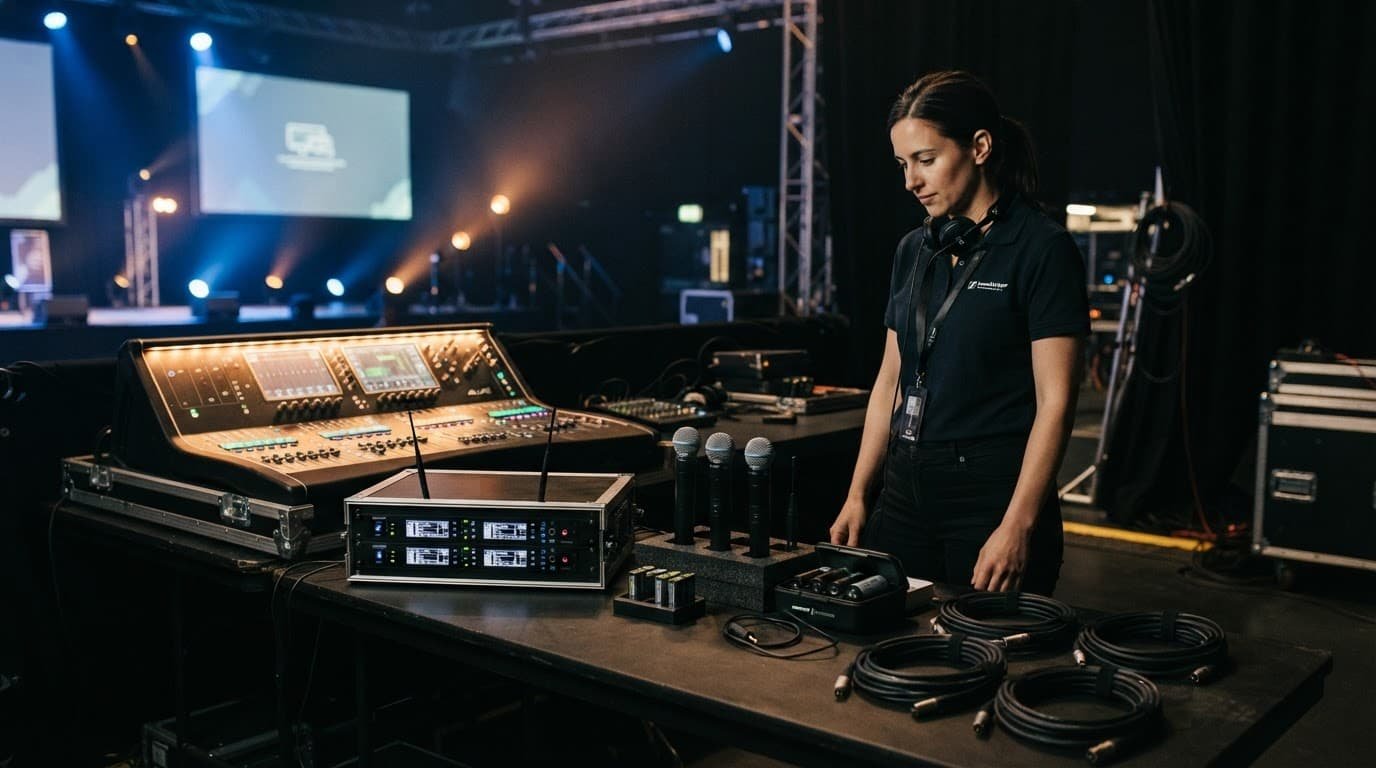
Wireless microphones need clear radio frequencies, especially in busy hotels and convention centers with several events happening at once. The AV team should complete frequency coordination before doors open and verify the signal path from each transmitter to its receiver. Shure’s RF coordination guidance explains why nearby wireless systems can interfere with one another.
Test every transmitter with fresh or fully charged batteries. Label each microphone by speaker name or role. Keep backup equipment near the mixing console, including fresh batteries, transmitters, cables, and a wired mic.
Feedback happens when a microphone picks up sound from the loudspeaker and repeats it in a loop. Keep microphones behind the main speakers, mute unused mics, and never point a handheld mic toward a speaker. Shure’s feedback-control advice also recommends reducing the number of open microphones.
An open microphone is not neutral. It can add room noise, feedback risk, and distractions even when nobody is speaking.
Rehearse Handoffs and Audience Questions
Panel discussions need a microphone plan, not a pile of mics on chairs. Assign handheld microphones to each panelist when appropriate, or use table mics only when the room setup supports them.
For a shared microphone, the moderator should say the audience member’s name or repeat the question before answering. This supports guests in the room and livestream viewers, especially at hybrid events.
Practice handoffs before the event. The outgoing speaker should keep speaking until the incoming speaker has the microphone in hand. A half-second of overlap sounds much better than an awkward silence.
Print-and-Tick Day-of Microphone Checklist
Use this compact equipment checklist to verify audio equipment before guests enter the room:
- Arrive early enough for a full setup, rehearsal, and sound check.
- Confirm the final agenda, speaker order, pronunciation notes, and stage entrances.
- Test each microphone with the person assigned to use it.
- Check lavalier placement against clothing, jewelry, hair, and movement.
- Confirm the mute control and power switch on every wireless transmitter.
- Verify that wireless batteries are fresh or fully charged.
- Keep a wired handheld microphone, spare transmitter, batteries, and cables nearby.
- Ask the AV technician which microphones should remain muted until needed.
- Test walk-on music, video audio, podium remarks, and audience Q&A.
- Walk to the back and sides of the room to hear what guests will hear.
- Keep drinks away from microphones, laptops, and the mixing console.
- Confirm who has authority to call a hold if an audio or safety concern appears.
- Review the venue assessment before opening, then follow venue and AV-team instructions for cable paths, speaker locations, and stage access.
What to Do When a Microphone Cuts Out
Technical issues can happen even with quality equipment. The goal is to respond calmly, keep the audience informed, and follow the backup plan without creating a bigger distraction.
If a Wireless Microphone Stops Working
First, keep the speaker near the podium or move them toward the wired backup microphone. The moderator, producer, or AV technician should take the lead instead of having several people troubleshoot at once.
Check whether the microphone is muted, switched off, or has a loose battery door. The AV team can then check the receiver signal, battery status, and wireless channel. Speakers shouldn’t change frequency settings or unplug equipment unless the technician asks them to.
If the repair takes more than a few seconds, switch to the backup microphone or bring the next agenda item forward. A prepared transition protects the event flow.
If You Hear a Squeal or Ringing Sound
Stop moving the microphone toward the loudspeaker. Lower it, mute it if possible, and let the technician adjust the system.
Don’t tap or blow into the microphone to test it. Speak normally and give the technician a moment to respond. Fast, calm communication is more professional than rushed gestures or jokes.
Connect Microphones to the Wider AV Plan
Corporate event audio works best when it is planned alongside video, lighting, and livestreaming. Use an audio visual checklist to document microphone inputs, display feeds, cue ownership, and remote handoffs. Keep a shared corporate event av checklist accessible to the show team so everyone can coordinate clear live event audio.
A presentation switcher routes slides and video, while a confidence monitor helps speakers see slides without turning their backs to the audience. Clear stage lighting and thoughtful lighting design help guests and cameras see faces, preserve sightlines, and prevent dark corners.
Projection screens can work well in controlled lighting and modest rooms. LED video walls are brighter and often easier to see in larger or well-lit spaces, but they require more power, space, and production planning. For a large corporate conference, confirm power, sightlines, space, and setup time before selecting LED video walls.
For hybrid events, use a dedicated wired internet connection when available and test the complete livestream before the program begins. Test all livestreaming equipment, including cameras, capture devices, and microphones, as part of the broadcast check. Zoom’s hybrid event guidance recommends reliable bandwidth, quality cameras, and clear microphones for virtual attendees. Do not rely on venue Wi-Fi alone for show-control files, presentation playback, or a live broadcast.
Frequently Asked Questions
How early should the microphone setup begin?
Arrive early enough to complete equipment setup, a full rehearsal, and a sound check before guests enter. Test microphones in the real room with the speakers who will use them.
Which microphone is best for a corporate presenter?
The right microphone depends on the speaker’s movement, clothing, and role. Podium microphones suit formal remarks, lavaliers support mobile presenters, and handheld or headset microphones work well for audience interaction or frequent movement.
What should be included in a microphone backup plan?
Keep a wired handheld microphone, spare transmitters, fresh or fully charged batteries, and extra cables near the mixing console. Assign one technician or production lead to manage the response if a wireless microphone fails.
How can an event team prevent microphone feedback?
Keep microphones behind the main speakers, mute unused microphones, and never point a handheld microphone toward a loudspeaker. If feedback starts, lower or mute the microphone and let the AV technician adjust the system.
What should speakers do if a wireless microphone cuts out?
The speaker should stay calm and move toward the podium or wired backup microphone while the moderator or AV technician takes the lead. Speakers should not change wireless settings or unplug equipment unless the technician instructs them to.
Clear Audio Lets the Message Lead
A strong corporate event microphone checklist gives every speaker a clear voice. The right mic, a complete sound check, and ready backups give the production team room to respond when plans change.
When audio feels natural, guests remember the message, the recognition, and the experience, not the technology behind it.