A conference can have an excellent agenda and still feel disorganized if attendees arrive to silence, compete with distracting music, or miss the cue to return to the next session. Well-planned music gives the day a steady pulse without asking guests to stop talking, networking, or concentrating.
The right DJ supports the experience quietly. Background music can welcome arrivals, support conversations at networking events, and encourage movement as a room change approaches. It should never become the main event.
Here is how to plan registration music, networking break music, and room-change transitions. You’ll also find guidance on comfortable volume levels, timing, and practical DJ logistics.
Key Takeaways
- Conference DJ music should support registration, networking, and room changes without competing with conversation, announcements, or the main program.
- Choose music based on the event’s purpose, audience, company culture, and desired atmosphere, with energy levels that rise gradually as the schedule progresses.
- Protect speech clarity by using comfortable volume levels, thoughtful speaker placement, venue-specific soundchecks, and music that fits the length and type of break.
- Clear cue points, an up-to-date run of show, approved music guidelines, and one designated event contact help the DJ manage transitions smoothly.
- A venue walkthrough, safe cable placement, reliable equipment, offline playlists, and backup gear are essential parts of dependable conference DJ logistics.
How the DJ Supports the Program
Corporate conference music isn’t a dance-floor set played at a lower volume. It is part of a broader mobile entertainment service, working alongside registration staff, signage, lighting, microphones, and the printed agenda. The provider must understand registration, networking, and session timing.
A professional DJ watches the room and adjusts background music, volume levels, and cue timing as the program changes. During arrivals, the music should reduce the awkwardness of an empty foyer. During a break, it should give conversations a little energy. Before the next session, it should create a clear shift that tells people it is time to move.
Start With the Event’s Purpose
Ask one question before choosing songs: what should attendees be able to do at this moment?
Registration guests need to check in, greet colleagues, find coffee, and review the schedule. Break attendees need to network. During room changes, they need a gentle but clear prompt to head toward the next session.
A product launch, leadership summit, sales meeting, and nonprofit conference can all use music, but they shouldn’t sound alike. Write down three to five words that describe the desired atmosphere. For example:
- Confident, modern, welcoming, and premium
- Friendly, upbeat, and community-focused
- Calm, thoughtful, and polished
- Bright, creative, and forward-looking
That short direction gives the DJ useful guardrails. It also prevents the music from becoming random background noise.
The best conference music is noticeable enough to shape the room, but never so loud that it competes with the reason people came.
Keep the DJ in a Supporting Role
The DJ should be visible enough for event staff to find quickly, yet positioned away from registration queues, sponsor displays, emergency exits, and primary conversation areas. A compact, professional setup often fits the room better than a large performance-style booth.
The DJ’s responsibilities may include background music, volume levels, walk-on cues, short transition tracks, microphones, and brief approved announcements. Those details need to connect to one show schedule, including cue timing and DJ logistics. The DJ should coordinate with producers, venue staff, and AV technicians as part of a team of entertainment professionals.
A good DJ isn’t guessing when to raise energy or fade music out. They are working from the same timeline as the producer, venue coordinator, and AV team.
Set the Right Tone for Registration
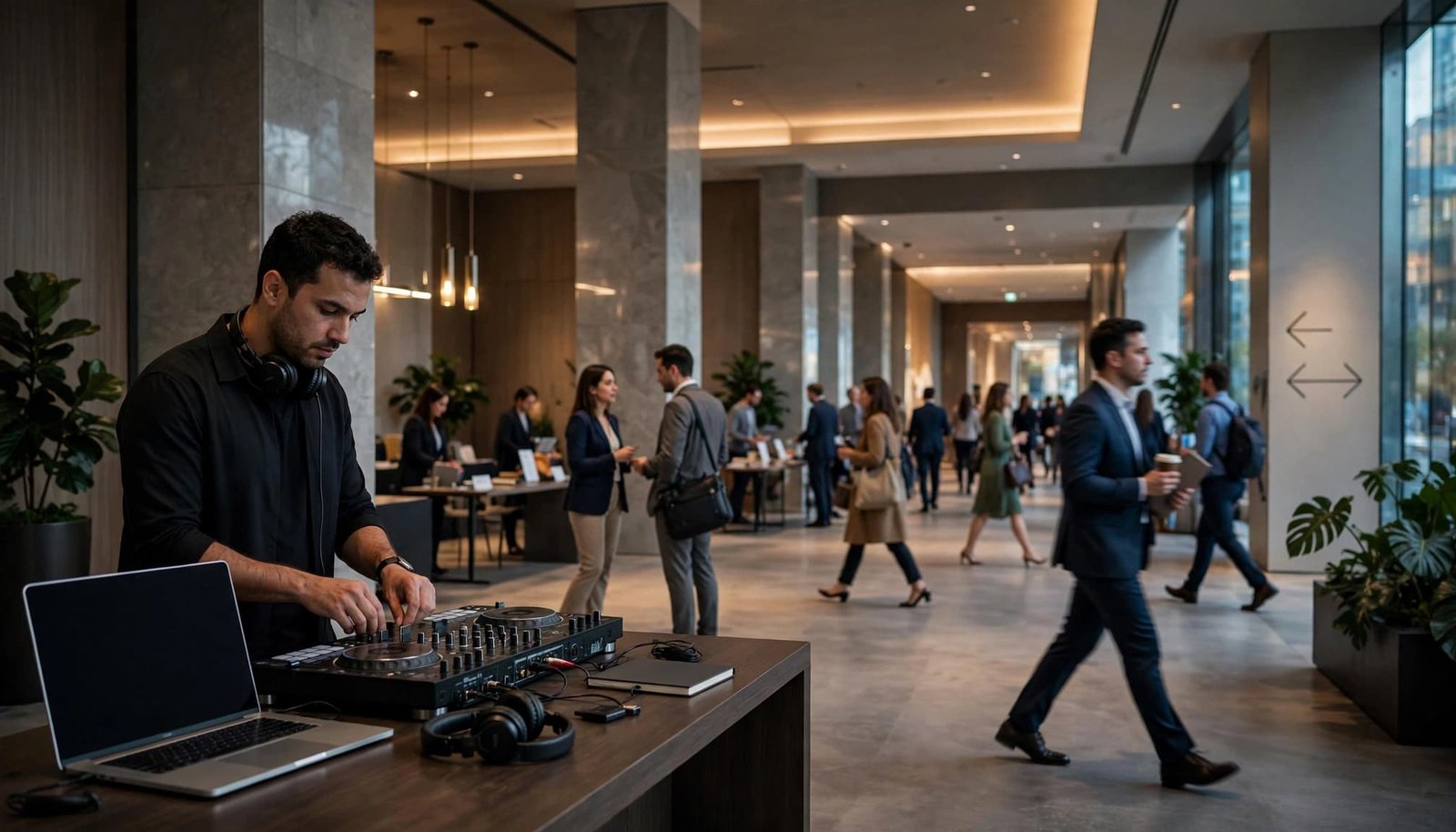
Registration is the first live impression of the conference. Attendees may be arriving alone, meeting a new team, carrying luggage, or looking for directions. A comfortable soundtrack helps the space feel ready before the first keynote begins.
Choose Music That Feels Welcoming, Not Demanding
Early arrival registration music should sit at a conversational level with a steady, approachable rhythm. Instrumental soul, modern jazz, light indie-pop, tasteful disco, mellow electronic music, and familiar pop instrumentals are strong choices.
If registration shares a trade show floor with exhibitors, keep the volume low enough that it doesn’t interfere with booth conversations, sponsor announcements, or traffic flow. For a financial services meeting, clean contemporary pop, instrumental funk, and polished chill-house can feel current without feeling casual. A creative agency may be comfortable with brighter disco-pop, indie electronic, and stylish remixes. A healthcare or education conference may prefer warm acoustic covers, Motown-inspired instrumentals, and positive classics.
Avoid hard bass, aggressive lyrics, long vocal intros, or songs that pull attention away from check-in directions. This is also not the moment for repeated singalongs. Guests should be able to greet one another and collect badges comfortably.
Build a Registration Playlist in Waves
A useful registration music playlist begins calm, then becomes modestly more upbeat as check-in volume increases. Keep speaker levels below anything that competes with directions, greetings, or badge collection. Save the most recognizable tracks for the final 15 to 20 minutes before the opening session, when attendees are gathering near the ballroom or theater.
Let the energy rise during those final 15 to 20 minutes, then have the DJ fade the music for the keynote walk-in.
Possible genre directions include:
| Conference Moment | Music Direction | Energy Level |
|---|---|---|
| Doors open | Instrumental soul, jazz-pop, acoustic covers | Low |
| Main arrival period | Clean pop, soft funk, upbeat indie | Low to medium |
| Five minutes before opening | Familiar disco-pop, polished electronic | Medium |
| Walk-in to keynote | Confident instrumental or approved anthem excerpt | Medium |
The playlist should have enough range to feel fresh, but not so much change that it becomes distracting. Familiarity helps, but every song still needs to fit the company’s culture and the audience in the room.
Use Break Music to Encourage Conversation
A networking break is not dead time. At networking events, it creates space for introductions, sponsor conversations, and informal connection. Music should support, not compete with, the networking opportunities attendees came to pursue.

Protect Speech Clarity
A room that sounds energetic can still be difficult to use. If guests have to lean close or raise their voices, the music is working against the networking break.
Speaker placement, room acoustics, guest count, hard surfaces, and nearby service areas all affect the sound. The DJ should walk the space before guests arrive and during a representative soundcheck, rather than judge levels only from behind the controller. AVIXA’s guidance on speech intelligibility is a useful reminder that clear speech depends on more than turning a microphone louder.
Aim speakers toward guest areas, not directly into buffet lines, coffee stations, or enclosed conversation corners. Set volume levels for even, comfortable coverage throughout the room.
Match the Music to the Type of Break
A 10-minute coffee break needs a different plan than a 45-minute sponsor reception. Short breaks benefit from more pace as people refresh, move, and return, while longer receptions need more space for conversation.
For a quick morning break, try upbeat instrumental pop, light funk, or clean familiar classics with limited lyrics. A late-afternoon reception can support disco-pop, relaxed house, soulful R&B, and well-reviewed throwbacks.
Songs such as “Happy,” “Can’t Stop the Feeling!,” or “24K Magic” may fit a celebratory company moment when the approved version and timing are right. They do not need to play in full. A recognizable 20- to 30-second section can provide a lift, then make room for the next piece of the program.
Make Room Changes Feel Clear and Natural
Room transitions are where conferences often lose momentum. One session ends, people check messages, a hallway becomes crowded, and the next speaker waits for late arrivals. Well-planned conference DJ music can reduce that drag when it follows a clear plan.
Create a Consistent Transition Cue
Use one recognizable style or short music bed when a session is ending. It might be polished electronic percussion, upbeat instrumental funk, or a clean pop hook without intrusive lyrics. Repeating that sound during room-change transitions teaches attendees that the program is moving forward.
The DJ can begin at a low level as the moderator closes the session. Once the final words are complete, the music can rise slightly while screens, lights, and staff direct guests toward the next room. A brief approved announcement can follow if the venue layout is unfamiliar.
Cue markers, short edits, playlist labels, and fade points in DJ software can help the DJ execute precise timing. These tools don’t replace communication with the producer when the schedule changes.
For speaker entrances, award walk-ups, and panel introductions, a cue often needs only 10 to 20 seconds. Playing an entire song slows the schedule and can leave a presenter standing awkwardly on stage.
Coordinate With the Event Team
The DJ needs the latest run of show, including session start times, breaks, meal service, sponsor obligations, room assignments, and planned announcements. Last-minute changes happen, so assign one designated contact who can approve adjustments quickly.
Before doors open, confirm:
- The exact cue for each room opening, closing, and transition.
- Who owns each cue and who gives the DJ a signal when a panel ends early or runs long.
- The backup signal if the primary contact is unavailable or the planned communication channel fails.
- How screens, lighting, and music cues should align during room changes.
- Which announcements are pre-approved and who delivers them.
- Whether a keynote walk-in, sponsor recognition, or video needs a music cue.
- How the DJ should adjust when a session ends early or runs late.
- When the room may shift from background music to a higher-energy social setting.
A music plan is strongest when it supports the schedule rather than trying to rescue a schedule that was never shared.
Give the DJ a Clear Music Brief
“Play upbeat music” is not enough direction for a corporate event. It can mean clean Top 40 to one planner, soulful classics to another, and festival-style electronic music to someone else. A written brief saves time and avoids uncomfortable surprises.
When evaluating entertainment professionals, ask whether their experience includes DJ conventions, music conferences, DJ workshops, or a DJ skills workshop. Learning at Mobile Beat DJ Con, DJ Expo, or NAMM Show can inform vendor questions. Networking at Winter Music Conference or International Music Summit can reveal useful working practices. That professional development should improve corporate programming, content approval, audience awareness, and understanding of industry trends. Experience with a business workshop, music trade show, mobile DJ business, or DJ community matters only when it translates into reliable service.
Review Content and Requests in Advance
Radio edits are useful, but they are not automatic approval. Some versions leave awkward gaps. Others remove one word while keeping themes that do not fit a workplace audience, client-facing meeting, or family-inclusive event.
Provide approved genres, examples of songs or artists, and a practical do-not-play list. Guest requests can still be welcome, but they should be treated as suggestions. The DJ must consider timing, the event’s purpose, company standards, and the exact version in the music library.
Choose one final music contact. That person can make a quick call if a request comes from an executive, client, sponsor, or attendee who does not know the larger plan.
Consider Rights and Recording Plans
Music played live in a ballroom raises different questions from music production for a livestream, recorded presentation, recap video, or social media post. A venue’s public performance license and a personal streaming subscription are not the same thing.
Confirm responsibilities with the venue, event producer, and any video team before the event. If a song will be synchronized with recorded content, obtain appropriate guidance for that use. Clear planning protects the company and keeps production decisions from becoming a last-minute problem.
Plan the Equipment, Safety, and Backup Details
The best playlist cannot overcome poor audio placement, a blocked walkway, or an equipment issue. Quality conference production begins with a venue walkthrough and a realistic technical plan. Industry learning from Mobile Beat DJ Con and International Music Summit can inform equipment choices, but neither replaces a venue-specific AV walkthrough.
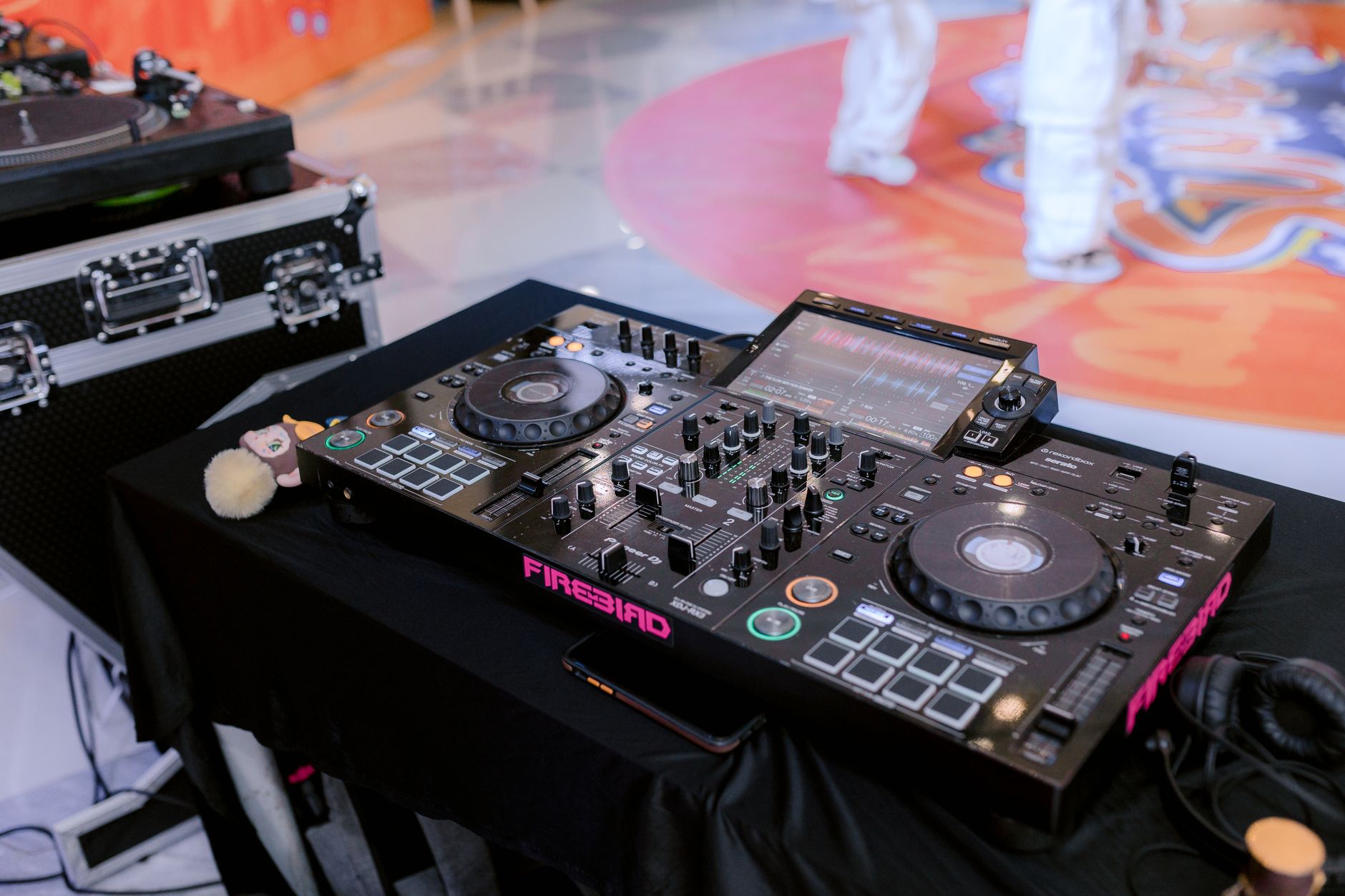
Photo by 🇻🇳🇻🇳Nguyễn Tiến Thịnh 🇻🇳🇻🇳
Complete a Detailed AV Walkthrough
Discuss the room size, ceiling height, guest count, registration layout, speaker locations, available power, built-in AV, and nearby sessions. AVIXA’s AV needs assessment guidance offers a helpful framework for identifying requirements before equipment arrives.
A mobile DJ conference setup should be evaluated for portability, coverage, and redundancy. In a hotel ballroom or multi-room venue, confirm how the system moves, covers each area, and continues if one device fails. Check the DJ gear, including speakers, microphones, stands, adapters, playback devices, and cable protection. The DJ should know whether the event needs background speakers only, a ballroom system, wireless microphones, video playback, or audio feeds for a production team. Confirm compatibility between the DJ’s music technology, venue AV, presentation playback, and production feeds. Confirm power locations and circuit assignments using each device’s actual electrical input requirements. Don’t assume a large printed speaker-output number tells you what the equipment draws from the wall.
Keep Paths Clear and Have Backups Ready
Run audio and power cables along approved room edges whenever possible. Cables should never cross emergency exits, stairs, doorways, or accessible routes. If a crossing is unavoidable in a high-traffic area, use a venue-approved cable ramp. Gaffer tape can secure a thin lead in a low-risk area, but it is not a substitute for a proper protector.
A dependable DJ also brings backup playback, spare cables, adapters, batteries, and an extra microphone. Keep offline copies of approved music available on more than one device. Use DJ software to organize offline playlists and cue backups, check file access, and support a second playback path. A stable plan is what lets the DJ focus on the room instead of reacting to preventable problems.
Common Conference Music Mistakes to Avoid
Music can improve a conference experience, but a few habits can quickly make the room feel less professional or comfortable.
Treating Every Break Like a Party
High energy has a place before a closing reception or celebration. A festival-level approach, like the sound of an electronic music festival, may suit that moment, but not registration, a meal break, or a room-change transition. Keep volume moderate while attendees arrive, eat, or find their next session. If intensity rises too early, attendees may avoid the space instead of using break time to connect.
Playing One Genre for Too Long
A mixed professional audience includes varied ages, cultures, and preferences. Two or three tracks with a similar feel can create consistency. An entire afternoon of one style can become tiring, especially when the volume stays high.
Rotate through compatible sounds, such as soulful pop, light electronic, funk, indie, and familiar clean classics. Choose music that supports conversation and feels appropriate for a wide range of corporate audiences. The selections should feel connected, not repetitive.
Waiting Until Event Day to Make Decisions
Last-minute playlists often create last-minute questions about lyrics, volume levels, cues, announcements, equipment, and room flow. Schedule a pre-event music meeting so the DJ can prepare properly and match each transition to the program timing. This also gives the planning team confidence that every cue has a purpose.
Frequently Asked Questions
What kind of music works best for conference registration?
Choose welcoming, approachable music that stays at a conversational level, such as instrumental soul, modern jazz, light indie-pop, tasteful disco, or mellow electronic tracks. Avoid aggressive lyrics, heavy bass, and songs that distract attendees from check-in directions.
How loud should music be during networking breaks?
Music should create energy without forcing guests to raise their voices or lean close to one another. The DJ should check levels throughout the room and account for acoustics, guest count, speaker placement, and nearby service areas.
How can music make room changes more effective?
Use a consistent short music bed or recognizable transition style when a session ends. Begin at a low level during the closing remarks, then raise it slightly after the final words while screens, lighting, staff, and announcements direct attendees to the next room.
What should be included in a conference DJ music brief?
Provide the desired atmosphere, approved genres and artists, sample songs, a do-not-play list, content standards, cue requirements, and the name of the final music contact. Include the latest run of show so the DJ can prepare for breaks, walk-ins, announcements, and schedule changes.
What equipment and backup details should planners confirm?
Review the venue layout, power, speaker coverage, microphones, cable paths, built-in AV, and compatibility with presentation or production systems. The DJ should also have backup playback, spare cables and adapters, extra batteries, an additional microphone, and offline copies of approved music.
A Polished Soundtrack Keeps the Conference Moving
The strongest conference music plan does not ask attendees to notice every song. It helps them feel welcomed when they arrive, comfortable while they connect at networking events, and ready to move when the schedule calls.
Thoughtful conference DJ music relies on background music, clean approved selections, appropriate volume levels, precise timing, and dependable DJ logistics. When those details are in place, the soundtrack supports a conference that feels organized, welcoming, and memorable.