A well-timed music cue can bring a room together. A surprise blast of sound, a darkened path, or an audio-only announcement can leave some guests outside the moment.
Accessible corporate events are built through thoughtful planning before the doors open, not rushed fixes during the program. Inclusive event design brings your DJ, venue, AV team, HR contact, and event planner together. Their work shapes how comfortably guests arrive, participate, communicate, and celebrate.
The goal of event accessibility is a polished company event where every guest has a clear way into the experience. Universal Design offers multiple ways to arrive, understand, and participate. For global events, the guest journey may include digital registration or event services for EU audiences, which may require review under the European Accessibility Act.
Key Takeaways
- Plan accessibility from the first production meeting, with the DJ, venue, AV team, HR contact, and planner working from the same inclusive event design.
- Give guests a private way to share access preferences, assign one access coordinator, and provide vendors only with the operational details they need.
- Check the full guest journey, including entrances, routes, seating, restrooms, food service, entertainment areas, quiet rooms, and digital event tools.
- Make announcements and important instructions easy to hear, see, read, and follow through microphones, captions, visual messages, written updates, and accessible digital content.
- Use sensory-aware production, flexible participation options, documented vendor requirements, and event-day checklists to make the experience welcoming and dependable for everyone.
Plan Access Before You Book Entertainment
Event planning should include guest access, entertainment, venue layout, and communications from the start. This is inclusive event design, not a separate vendor task. Use Universal Design to consider the event purpose, guest journey, venue, and entertainment together. Discuss accessibility needs in the first production meeting, alongside timing, room layout, catering, lighting, and music direction.
A short employee music survey can still be useful. Keep it separate from access requests when possible. Music preferences may be anonymous, while accommodation details need private handling and a clear point of contact.
Ask for preferences without asking for a diagnosis
Make the registration form easy to complete, mobile-friendly, and optional where personal information is involved. Use Universal Design with clear, optional questions and advance information. This can support people with cognitive disabilities without asking them to identify or diagnose themselves. Ask what would help someone participate, not why they need it.
Useful questions include:
- “Would support related to communication, seating, sensory, mobility, or dietary restrictions help you participate?”
- “Which parts of the event would you like us to consider, such as arrival, presentations, food service, networking, or entertainment?”
- “May our event access coordinator contact you privately to confirm arrangements?”
- “What is your preferred method for receiving event updates?”
Use wording such as:
“We want every guest to participate comfortably. Please share any access preferences that would help with arrival, seating, communication, food, the program, or entertainment. This optional information goes only to our event access coordinator, who may contact you privately to confirm arrangements.”
The University of Texas at Dallas also recommends including accommodation questions in accessible event registration planning. If an event platform serves EU participants, a European Accessibility Act review may be appropriate, subject to your organization’s scope and legal advice. Give attendees a deadline that allows time to arrange captions, interpreters, seating, or other requested support.
Give every request a clear owner
An access request can get lost when several vendors assume someone else is handling it. Name one event access coordinator who receives accessibility needs, confirms reasonable accommodations privately, and shares only the operational details that each vendor needs.
The DJ may need to know that a quiet room should remain free of music. The venue may need a seating location or a clear route. The captioning provider may need final speaker names and presentation files. They do not need a guest’s private information.
Do not place accommodation details in a group chat, public run sheet, shared playlist form, or broad vendor email. A professional event team treats this information with the same care as other confidential guest details.
Choose a Venue That Works Beyond the Ballroom
A ballroom can look beautiful during a site tour and still create barriers on event day. Visual appeal alone doesn’t make it one of the accessible venues a planner should consider. The route from parking or drop-off to registration, restrooms, food stations, breakout rooms, quiet areas, and the dance floor matters as much as the main room.
The 2010 ADA Standards for Accessible Design provide useful general guidance for U.S. venue planning under the Americans with Disabilities Act. They aren’t a substitute for checking current local requirements, building conditions, and event-specific obligations.
Trace the full guest route
Walk the property as a guest would, using Universal Design to check parking, drop-off, doors, elevators, and clear paths for guests with mobility impairments. Start at accessible parking, the drop-off point, or the rideshare entrance. Continue through the front door, registration table, seating, buffet, restrooms, stage, photo area, and entertainment space, checking registration signs, wayfinding signage, and room directions along the route.
Keep clear routes through seating and active areas, treating layout, seating, routes, and production equipment as one inclusive event design decision. A 36-inch travel path is a practical minimum for many accessible routes, but don’t assume a room meets that standard because a floor plan looks open. Chairs, floral pieces, speaker stands, lighting bases, and unattended cases can quickly narrow a route.
For accessible corporate events, seating shouldn’t be pushed to the rear corner of the room. Apply Universal Design with integrated seating choices, nearby companion seating, and independent movement. Keep clear sightlines to presenters, interpreters, screens, and the dance floor.
Ask venue questions before signing
Ask the venue coordinator to verify accessibility features in person, including entrances, ramps, routes, seating, restrooms, and other key areas. Ask direct questions early: Is the accessible entrance unlocked during the full event? Where are the closest accessible restrooms? Can guests reach every program area without stairs? Is there accessible parking or a safe drop-off route? Where can a service animal take a break outdoors?
Also ask where cables, speaker stands, DJ cases, portable stages, and lighting equipment will sit. A temporary event can become difficult when production equipment blocks a hallway or creates a trip hazard. The ADA National Network’s temporary event accessibility guide is a helpful reference for reviewing ramps, entrances, curb cuts, and travel paths.
If the venue can’t meet a request, discuss alternatives before invitations go out. A room change, a portable ramp, a different registration location, or a revised seating layout is easier to arrange early.
Make Announcements Easy to Hear, See, and Follow
Corporate programs often move quickly. Guests are asked to find seats, join a breakout, applaud an award winner, enter a raffle, move to dinner, or gather for a photo. No important instruction should depend on sound alone.
Universal Design means sharing essential instructions through spoken, visual, written, and captioned formats. A clear announcement plan supports people with hearing impairments, guests in a noisy networking area, people who process information better with text, and anyone who did not catch the first instruction. For guests with visual impairments, describe meaningful information in slides, videos, and signage, then provide an accessible text or spoken alternative.
Put essential messages in more than one format
Use a microphone for presenters and hosts, even if the room does not seem large. Pair spoken instructions with projected text, visible signage, a captioned screen, an event-app message, or printed program when appropriate. These alternative formats may include large print and accessible screen text compatible with assistive technologies.
Live captioning can make keynote remarks, award presentations, panel discussions, and safety instructions easier to follow. If sign language interpreters are part of the event plan, provide them with the agenda, speaker names, slide decks, acronyms, and pronunciation notes in advance. Keep interpreters well lit and within a clear sightline of the stage.
The Accessible Meetings, Events & Conferences Guide recommends a needs assessment before final event decisions. That approach prevents a last-minute scramble for communication support after the stage, screens, and seating are already set.
Build accessibility into the DJ cue sheet
A DJ cue sheet should cover more than song titles. For Universal Design, list the cue owner, exact audio file, start point, end point, and volume level. Add the related visual message or visual equivalent, plus a backup communication path for every major moment.
For an awards program, nominee music can run under a presenter for eight to 15 seconds. Let the winner’s name land clearly before the celebration cue starts. A winner walk-on track often needs only 10 to 20 seconds, not the entire song.
Share last-minute changes with the DJ, MC, AV operator, captions provider, and access coordinator at the same time. If dinner moves 15 minutes later, the update should appear on screens and in text messages when those tools are in use, not only through the microphone.
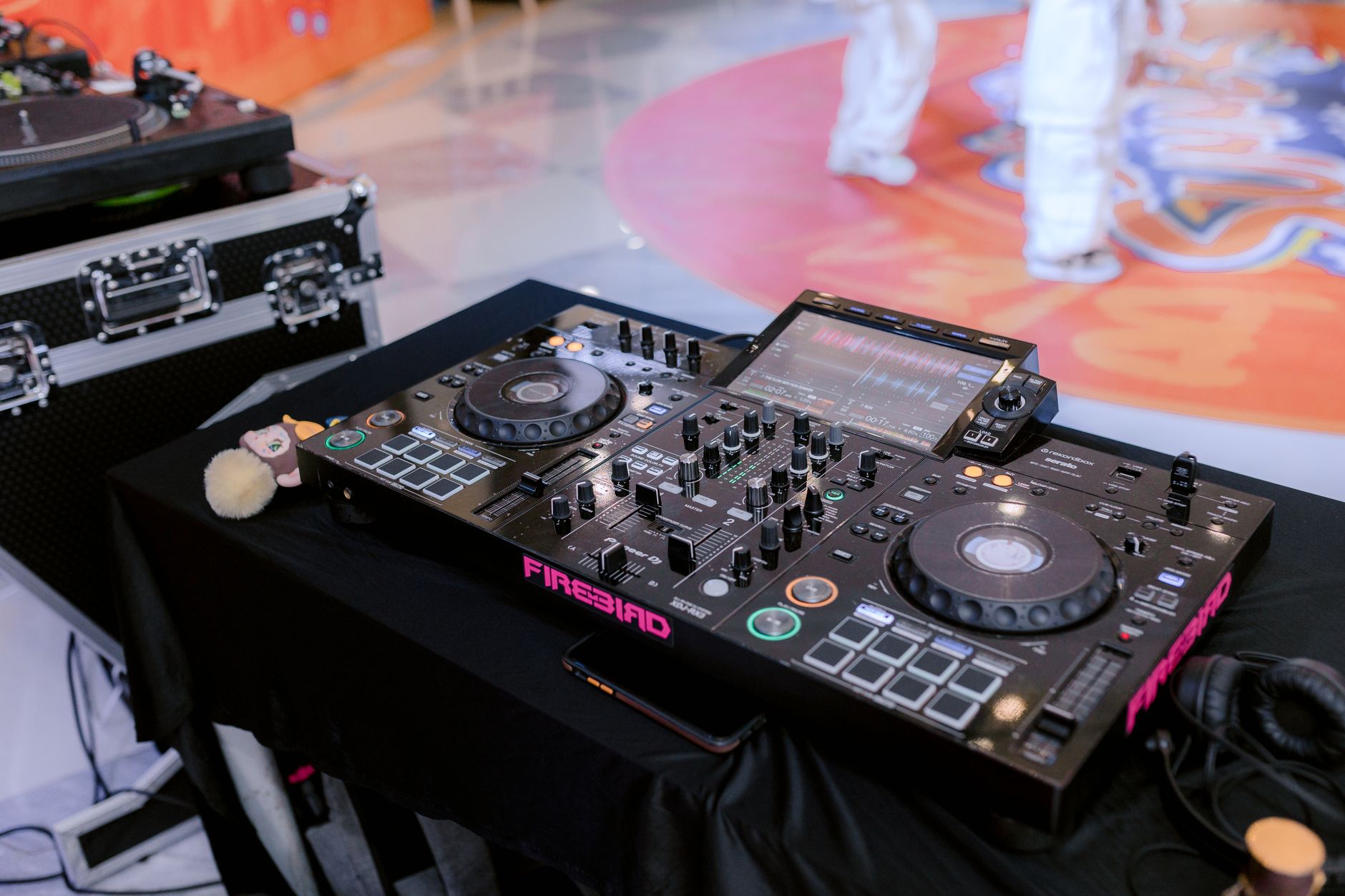
Photo by 🇻🇳🇻🇳Nguyễn Tiến Thịnh 🇻🇳🇻🇳
Accessible Corporate Events Need Sensory-Aware Production
A polished soundtrack and lighting plan can create excitement without overwhelming the room. Inclusive event design treats music, lighting, volume, quiet rooms, and advance notice as coordinated production choices.
Universal Design starts with choice and predictable conditions. People have different access preferences. Don’t assume one volume level, lighting effect, or crowd activity suits everyone.
The strongest production plan offers choice, clear notice, and a respectful way for guests to step out and rejoin the program.
Use music and volume with purpose
Match the soundtrack to the company culture and event moment. A formal recognition dinner may call for cinematic percussion, light orchestral beds, polished house, or instrumental tracks that add scale without competing with presenter remarks.
A modern company celebration may support disco-pop, clean hip-hop, familiar throwbacks, or upbeat dance music later in the evening. Build energy in waves. Two or three songs with a similar feel can create momentum, but long genre blocks can disengage a mixed corporate crowd.
Volume should support the moment. Guests should be able to talk during arrivals, meals, and networking without competing with the speakers. Test sound from guest tables, accessible seating areas, and the back of the room, not only from the DJ booth.
Use adjustable production settings as part of Universal Design. They help the whole audience experience each moment more comfortably.
Ask privately if early notice of louder moments, bass-heavy music, or crowd-participation activities would be helpful. A nearby quiet room can provide sensory-friendly environments, with softer light, seating, water, and no amplified music. It gives guests a comfortable option without requiring an explanation.
Keep lighting and video predictable
Avoid surprise strobe effects, rapid flashing, sudden blackouts, or moving lights aimed directly into guest seating. If any high-impact lighting effect is planned, describe it in pre-event information and give the DJ or lighting operator clear limits.
Keep room lights at a functional level during registration, meals, networking, and important instructions. Guests need to see paths, signage, menus, interpreters, faces, and the edge of the dance floor.
Videos need captions before event day, including meaningful non-speech sounds when they affect the message. If a video carries important visual information, provide spoken description or an accessible text alternative. A tribute video should complement the event, not become a moment some guests cannot fully follow.
Make Dance-Floor Activities Flexible and Welcoming
Inclusive event design treats the dance floor as an invitation, not a requirement to dance. Guests can dance, watch, socialize nearby, join a short group activity, or take a break.
Use Universal Design throughout the space. The same clear route should lead from the ballroom to the dance area, photo booth, buffet, and lounge seating, supporting different ways to engage without creating a separate experience.
Offer an invitation, not pressure
Avoid calling out individuals, making assumptions, or treating participation as a test of team spirit. A good MC can say, “You are welcome to join us on the floor, participate from your table, or enjoy the music your own way.”
For group activities, offer more than one role. A team trivia round can include table answers and digital responses. A dance activity can use simple movements that people adapt in their own way. A raffle can include text-based entry rather than requiring guests to cross a crowded room.
Keep accessible seating close enough to enjoy the atmosphere, not isolated from it. Guests shouldn’t have to choose between a clear view of the program and a safe route to the exit.
Keep the DJ setup out of the way
DJ and AV equipment needs a defined footprint. Cover or secure cables, keep speaker stands outside travel routes, and avoid placing equipment where it creates a dark obstacle near the dance floor.
The DJ should also know where the quiet room, accessible exit, and event coordinator are located. If a guest raises an access concern during the event, the DJ can make a quick production adjustment while the coordinator handles the conversation privately.
Audit Digital and Hybrid Event Access
A hybrid event has two guest journeys, the room and the screen, so Universal Design must cover both. A fully accessible hotel ballroom doesn’t solve a registration page that cannot be completed by keyboard, a livestream without captions, or an agenda PDF that a screen reader cannot read.
Test digital access before the invitation reaches employees, clients, or remote guests.
Check the full online experience
Review the registration form, documents, video, chat, and replay content as one Universal Design experience. Also review the confirmation email, agenda, speaker bios, event app, session links, virtual platform, and slides. Test with keyboard-only navigation and assistive technologies, including screen-reader tools. Check whether buttons have clear labels, forms identify errors, colors have enough contrast, and files are readable without a mouse for guests with visual impairments.
Ask your event-platform vendor: Can guests register and select sessions using a keyboard alone? Does the livestream support real-time captions? Can attendees adjust caption size? Are chat, polls, and Q&A tools accessible? Is the exported agenda available in an accessible format?
The Web Content Accessibility Guidelines 2.2 provide practical technical standards for keyboard access, captions, focus visibility, readable content, and other digital requirements. Give remote attendees a direct support contact during the live program, not a general inbox that may go unanswered.
Consider WCAG and the European Accessibility Act
WCAG is widely used as a digital accessibility benchmark, especially for registration systems, event websites, apps, and video content. Live captions are important for streamed keynotes and hybrid presentations. Pre-recorded videos also need captions before they are posted or played.
Organizations offering digital services to participants in the European Union should also review the European Accessibility Act directive and the national rules that apply where they operate. The law covers specific products and services, not every event or digital tool. Its relevance can depend on the organization, platform, audience, and service offered.
This information is general guidance, not legal advice. In the United States, the Americans with Disabilities Act and other applicable laws may create obligations that differ from WCAG and EU requirements. Confirm current U.S., state, local, EU, and country-specific requirements with qualified accessibility and legal professionals.
Put Access Commitments in the DJ and Vendor Brief
A verbal promise can disappear during a busy load-in. Use Universal Design as the shared production principle, then put event accessibility details in the production brief, vendor agreement, and final run sheet. Treat caption feeds, interpreter lighting, quiet-room signs, clear routes, and accessible seating as documented production requirements.
Ask direct questions of each vendor
Ask the DJ: Can you provide microphone coverage for every speaker, keep cables out of guest routes, and add visual equivalents for major announcements? Ask the lighting team: Can flashing effects be disabled immediately if needed? Ask the venue: Who can unlock an accessible entrance or adjust seating if a path becomes blocked?
Ask the AV provider where captions will appear, who monitors them, and what happens if the connection fails. For EU-facing registration, streaming, or event-app services, ask digital vendors how the European Accessibility Act is being considered. Keep legal review with your organization.
Ask catering how meal labels, allergens, service height, and dietary requests will be handled without identifying guests publicly.
A strong vendor team welcomes these questions because clear expectations protect the program and reduce stress on event day.
Plan for changes without exposing guests
Programs change. A speaker runs late, a breakout moves, or a room needs to be reset. Share only operational details tied to confirmed accessibility needs with vendors, never diagnoses or personal details. The planner should tell the affected attendee privately if an agreed arrangement changes.
Do not move assigned accessible seating, remove a quiet area, or relocate a communication support service without first confirming a workable alternative. Keep the access coordinator in the same update loop as the DJ, MC, venue captain, and AV lead.
Handle Food, Service Animals, and Staff Etiquette Respectfully
Food service, arrival support, and staff communication can affect participation as much as a stage ramp or caption screen. Universal Design includes readable labels, reachable service points, private meal handling, and consistent staff support. This keeps guests from repeatedly explaining their needs.
Treat food preferences as part of event hospitality
Registration can ask, “Please share any dietary restrictions, allergies, religious or cultural food practice, or food preference you would like us to consider.” Make the question optional and provide an opportunity for private follow-up.
Give catering only the details needed to prepare and deliver the meal. A place card, discreet ticket, or agreed table identifier is better than a public announcement about a guest’s food needs.
Ask caterers whether buffet labels are readable, ingredients are available, serving tables can be reached, and staff know how to locate pre-arranged meals. A professional food plan gives guests clear choices without turning their meal into a public discussion.
Train staff for simple, respectful communication
Brief staff and volunteers before doors open on accessible routes, restroom locations, quiet-room rules, captioning locations, seating plans, and who handles questions. Include disability etiquette training on direct, respectful communication.
Teach a simple approach: ask before helping, speak directly to the guest, and accept “no thank you” without pressure. This disability etiquette respects consent and privacy, so staff shouldn’t ask someone to explain a disability or provide documentation at the door.
For service animals, staff should understand the limits on personal questions. The City of Seattle’s accessible events guide explains that staff may ask what task a service animal is trained to perform, but may not ask, “What is your disability?”
Event-Day Checklists for Planners and DJs
A final walkthrough applies Universal Design in practice and turns good intentions into a dependable event plan.
The planner’s pre-event check
- Confirm one access coordinator and share a private contact method with guests.
- Send an event message with parking, entrances, arrival timing, quiet-room details, and support contacts.
- Walk every guest route after tables, staging, signage, catering, and AV equipment are in place.
- Verify accessible seating, companion seating, clear sightlines, and open travel paths.
- Confirm captions, interpreters, assistive listening devices, and accessible digital materials.
- Review dietary arrangements privately with catering and the designated event contact.
- Rehearse emergency messages in audio and visual formats.
The DJ’s event-day check
- Download approved music, cue files, videos, and backup playback files before arrival.
- Test microphones at realistic volume from guest seating, not only behind the DJ booth.
- Keep cables, cases, and stands outside all guest travel routes.
- Use clean, approved music that fits the company culture and program timing.
- Add visual or text support for major announcements, schedule changes, and safety instructions.
- Confirm who gives the final “stand by” and “go” for presentations, awards, and activities.
- Keep volume, lighting, and transitions adjustable throughout the event.
Frequently Asked Questions
How should guests share accessibility needs for a corporate event?
Use an optional, mobile-friendly registration question that asks what support would help the guest participate, rather than asking for a diagnosis. Send responses to one access coordinator for private follow-up and share only necessary operational details with vendors.
What should a corporate event DJ do to support accessibility?
The DJ should use microphones, keep equipment and cables out of travel routes, and add visual or written equivalents for major announcements and schedule changes. The cue sheet should also document volume limits, lighting considerations, backup communication paths, and key program timing.
How can planners tell whether a venue is accessible?
Trace the entire guest route from parking or drop-off through registration, seating, food service, restrooms, program areas, and the dance floor. Verify accessible entrances, clear paths, companion seating, sightlines, quiet spaces, and the placement of temporary production equipment before signing the venue agreement.
How can events reduce sensory barriers?
Give guests advance notice of loud music, bass-heavy moments, flashing lights, blackouts, and crowd-participation activities. Keep volume and lighting adjustable, provide a nearby quiet room, and make participation optional so guests can join, watch, socialize, or take a break.
Do accessibility laws apply to corporate events and digital platforms?
Requirements can vary based on the organization, location, audience, venue, and services provided, so ADA, WCAG, European Accessibility Act, and local requirements should be reviewed carefully. This article offers general guidance rather than legal advice; consult qualified accessibility and legal professionals about current obligations.
A Better Company Event Includes More People
The most memorable corporate programs feel organized, warm, and easy to join. That comes from clear communication, careful production, respectful staff, and entertainment that supports the room instead of overpowering it.
Accessible corporate events don’t require a separate experience for certain guests. They call for a better-planned experience for everyone, supporting an inclusive corporate culture.
Bring the access plan into the first conversation with your DJ and event team. When details are prepared early, the program can feel confident, welcoming, and ready to celebrate.